
Subcontractor Billing Cycle Challenges: Fix Them Fast
Stop most billing cycle delays right now with three actions: measure your actual billing velocity (pay-app cut-off to cash receipt), enforce documentation discipline before every submission, and automate lien waiver collection with payment holds.
- Measure billing velocity on your last 10 pay apps. Most subcontractors discover they’re running 75–105 day cycles without realizing it, and can recover 15–30 days by fixing upstream processes alone.
- Enforce documentation discipline before submission. A single missing waiver or math error returns the entire pay app, adding substantial delay to your cycle.
- Automate waiver collection with payment holds. Automating waiver distribution and tracking can cut average days-to-receive waivers by 8–12 days for GCs managing 10 or more subcontractors.
The gap is real: Most contracts say Net 30, but the actual average days-to-cash for subcontractors runs closer to 56 days. Add retention, and you’re planning for 60–110 days.
Table of Contents
- Why do subcontractor billing cycles stall?
- Which metrics should you actually track?
- What process changes prevent rejections before they happen?
- How should you evaluate waiver and pay-app automation tools?
- How does Waiverpilotpro address these challenges?
- What does a 30/60/90-day rollout look like?
- What questions should you ask before changing your billing process?
- Key Takeaways
- Why billing velocity is the metric that determines your growth capacity
- Waiverpilotpro: start your pilot on one pay-app cycle
- Sources and further reading
Why do subcontractor billing cycles stall?
Three bottlenecks cause the vast majority of subcontractor billing cycle challenges, and they almost always compound each other.
1. Incomplete waiver packages and documentation. A missing conditional lien waiver, an unsigned change order backup, or a forgotten certified payroll form stops the entire pay app. The GC doesn’t process a partial package. Everything comes back.
2. The rejection cycle. A math error on the Schedule of Values, a mismatched period on a waiver, or a missing signature triggers a kickback. Rejection cycles are the most damaging bottleneck in construction billing; one returned pay app typically adds 14–30 days to your cash conversion cycle.
3. Slow pay-app prep and handoffs. Manual spreadsheet-based SOV management consumes roughly 10–15 hours per project manager per month and creates version-control errors that feed directly into rejections.
Retention compounds every delay. Retention practices of 5–10% extend your effective cash conversion cycle by 20–40 additional days on average. Plan for 60–110 days, not 30–45.
Which metrics should you actually track?
Billing velocity is more useful than aggregate days sales outstanding (DSO) because it shows you where time accumulates and which segments you can control.

Billing velocity measures elapsed time from pay-app cut-off to ACH deposit. DSO measures the average age of your receivables. Velocity tells you which step to fix; DSO tells you how bad the overall problem is.
Billing cycle segment table
| Segment | Who controls it | Directional range |
|---|---|---|
| Cut-off to submission | Subcontractor | 1–5 days |
| Submission to GC draw | GC / PM | 7 days |
| GC draw to owner funding | Owner / lender | 14–30 days |
| Owner to GC payment | GC AP | 5–14 days |
| GC to subcontractor payment | GC AP | 5–14 days |
The first segment is the only one fully under your control. Tightening it from 5 days to 1 day doesn’t move the needle much. What moves the needle is submitting a clean package that doesn’t get kicked back, because a single rejection resets every downstream segment.
Pro Tip: Calculate your average days-to-cash by pulling your last 10 pay apps, recording the cut-off date and the ACH deposit date for each, and averaging the difference. That number is your baseline. Anything above 75 days signals a fixable upstream problem.
What process changes prevent rejections before they happen?
A clean pay-app package requires discipline at the preparation stage, not the submission stage. Build a pre-submission checklist and assign ownership for each item.
Pre-submission checklist
- SOV line items match the contract and prior approved amounts
- Signed conditional lien waivers collected from all lower-tier subs
- Change order backup attached for every unapproved CO included in the draw
- Certified payroll current (where required by contract or prevailing wage law)
- Progress photos dated and labeled by cost code
- Three-way match completed: pay app matches SOV matches waiver amounts
Three-way matching between the pay app, Schedule of Values, and executed lien waiver should happen before submission, not after a kickback. It converts hours of PM rework into a short exceptions queue.
Role and ownership table
| Role | Owns |
|---|---|
| Project Manager | SOV accuracy, CO backup, progress photos |
| Estimator | CO pricing and scope confirmation |
| Controller / Accountant | Three-way match, waiver collection status |
| Field Supervisor | Certified payroll, site documentation |
One system of record matters here. When the PM is working from one SOV version and the accountant is reconciling against another, errors are guaranteed.
On waiver sequencing: Use conditional waivers during the billing cycle and request unconditional waivers only after payment clears. Signing an unconditional waiver before funds arrive can extinguish your lien rights before you’ve been paid.
For larger projects, build in lead time. Waiver request lead times should scale with project size: roughly 3 days for projects under $2M, 7 days for $10M–$50M projects, and 10 or more days for projects above $50M.
How should you evaluate waiver and pay-app automation tools?
The features that actually reduce rejections and speed payment are specific. Don’t buy a general AP tool and expect it to handle construction compliance.
Must-have features:
- Automated conditional waiver generation tied to pay-app creation
- E-signature with conditional/unconditional tracking and period validation
- Validation rules that flag amount mismatches before submission
- Hard payment hold triggered when waivers are missing or unsigned
- Audit trail by project and billing period
- Closeout package export for final lien releases
Integration points that matter: Procore handles project management and the SOV; QuickBooks handles accounting and AP. A tool that connects both creates a single system of record and eliminates duplicate data entry. When payment holds are enforced at the accounting level, waiver collection reaches near-100% on-time rates within two pay cycles.
Understanding the full range of construction software integration terms before vendor conversations helps you ask sharper questions about API availability and workflow compatibility.
Pro Tip: Prioritize tools that enforce a hard payment hold in accounting when waivers are missing. A soft reminder is easy to override. A hard hold is the only mechanism that converts faster waiver collection into real days-to-cash improvement.
How does Waiverpilotpro address these challenges?
Waiverpilotpro is built specifically for the lien waiver bottleneck that stalls most subcontractor billing cycles.
- Auto-fill waiver generation: The AI lien waiver generator pulls project details directly from contracts, eliminating manual data entry and the fat-finger errors that cause rejections.
- Conditional and final waivers: Both waiver types are supported, with the correct sequencing built in so you’re not accidentally signing away lien rights before payment clears.
- Auto-calculated balances: Waiverpilotpro calculates remaining balances automatically, removing the math errors that are among the most common rejection triggers.
- Multi-subcontractor support: Manage waiver collection across multiple subs on a single project without tracking status in a spreadsheet.
- Notarizable outputs: Documents are formatted to meet notarization requirements where state law demands it.
- Procore and QuickBooks integration: Waiverpilotpro connects with both platforms, keeping your project management and accounting data in sync without re-keying.
Why integration matters: When Waiverpilotpro connects to Procore and QuickBooks, the waiver status lives in the same system as your pay-app approval and your AP workflow. That connection is what makes a payment hold enforceable and what makes exceptions-only review possible.
What does a 30/60/90-day rollout look like?
| Phase | Milestones | Owner | KPI Target |
|---|---|---|---|
| 30 days | Baseline last 10 pay apps; implement pre-submission checklist; pilot Waiverpilotpro on one active project | PM, Controller | Establish baseline days-to-cash; rejection rate documented |
| 60 days | Integrate Waiverpilotpro with Procore and/or QuickBooks; enforce payment hold on pilot project; train field team on waiver sequencing | PM, Controller, IT/Vendor | Rejection rate down; waiver collection rate above 90% |
| 90 days | Full portfolio rollout; exceptions-only review cadence active; retention aging report running | Controller | Days-to-cash improved by 15–30 days; waiver collection at or near 100% |
At 30 days, success means you have a number: your actual average days-to-cash. At 60 days, success means your pilot project has not had a waiver-related rejection. At 90 days, success means your controller is reviewing exceptions, not chasing paperwork.
- Run an exceptions-only review by configuring automated reminders and escalations so the AP team only touches waivers that are overdue or mismatched.
- Track retention aging separately. Retention is the longest velocity component; an active retention-release workflow with a document checklist and owner-liaison steps reclaims capital that otherwise sits for months.
What questions should you ask before changing your billing process?
Getting the right answers from your GC, accountant, and software vendor before you change anything saves weeks of rework.
Ask your GC:
- What are your payment terms, and do you enforce them consistently?
- Where does waiver collection sit in your draw approval workflow?
- Do you accept electronic lien waivers, and which formats?
Ask your controller:
- Can you enforce a hard payment hold when waivers are missing?
- Who has authority to override a hold, and what’s the approval chain?
- How will a new integration affect your current AP workflow in QuickBooks?
Ask your software vendor:
- What integrations exist with Procore and QuickBooks, and are they native or third-party?
- How do you validate waiver amounts and billing periods against the pay app?
- What escalation cadence is configurable for overdue waivers?
Sample vendor email: “Hi [Name], we’re evaluating waiver automation tools and want to confirm a few integration details. Can you confirm whether your platform integrates natively with Procore and QuickBooks, how waiver amounts are validated against the pay application, and what escalation options exist for unsigned waivers? We’re targeting a pilot on one active project within 30 days.”
Key Takeaways
Fixing subcontractor billing cycle challenges requires measuring your actual days-to-cash, enforcing a pre-submission checklist, and automating waiver collection with a hard payment hold.
| Point | Details |
|---|---|
| Measure first | Calculate average days-to-cash from your last 10 pay apps before changing anything. |
| Rejections are the biggest delay | A single math error or missing waiver returns the entire pay app and adds a significant delay. |
| Plan for 60–110 days | Retention of 5–10% extends your cash conversion cycle well beyond Net 30 contract language. |
| Automate with payment holds | Hard holds on missing waivers drive near-100% on-time collection within two pay cycles. |
| Waiverpilotpro as your pilot | Run Waiverpilotpro on one active pay-app cycle to compare days-to-cash and waiver collection rate against your baseline. |
Why billing velocity is the metric that determines your growth capacity
Most subcontractors treat slow payment as a commercial problem. It’s actually an operational one. The GC who consistently submits clean packages on time gets paid faster not because they negotiated better terms, but because they gave the owner and lender nothing to push back on.
What’s often overlooked is the downstream effect on bonding capacity and bid premiums. Subcontractors with documented billing discipline and low rejection rates carry less working-capital risk, which translates to lower bid inflation and stronger bonding positions. Contractors who expect slow payment inflate bids by an average of 8% to cover their float. Eliminating that premium is a competitive advantage that compounds over time.
The operational change is straightforward: measure velocity, enforce the checklist, automate the waivers. The commercial outcome follows.
Waiverpilotpro: start your pilot on one pay-app cycle
Fewer rejections and faster cash receipt start with one clean billing cycle. Waiverpilotpro gives you free lien waiver generation with auto-fill, auto-calculated balances, and notarizable outputs, with no account creation required to get started.
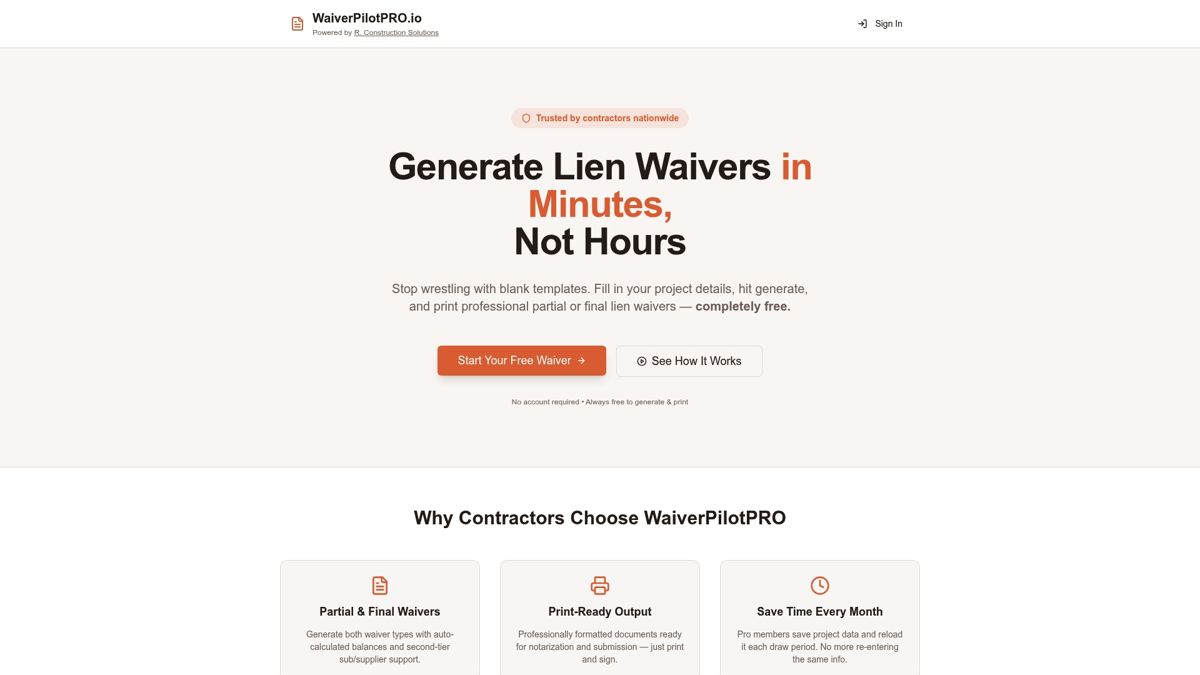
Pick one active project, run Waiverpilotpro through a single pay-app cycle, and compare your days-to-cash and waiver collection rate against your baseline. The integration with Procore and QuickBooks means your waiver status lives in the same system as your pay-app approval and AP workflow.
- Auto-generated conditional waivers tied to each pay app
- Procore and QuickBooks compatibility for a single system of record
- Exceptions-only review so your team stops chasing and starts closing
Generate your first waiver free and see how quickly a clean package changes your cycle.
Sources and further reading
| Source | What it supports |
|---|---|
| SPM Construction CFO — Billing Velocity | Billing velocity definition, 75–105 day cycle data, 15–30 day compression potential |
| SPM Construction CFO — Cash Conversion Cycle | Retention impact (20–40 days), 60–110 day planning range |
| PayEarned — Managing Construction Billing Cycles | Rejection cycle as primary bottleneck, three-way matching, 10–15 hours/PM/month admin cost |
| Breva — How Long a Pay App Takes to Get Paid | 56-day average days-to-cash vs. Net 30 contract language |
| US Tech Automations — Lien Waiver Automation | Near-100% on-time collection with payment holds, two-cycle compliance |
| US Tech Automations — Chasing Lien Waivers | 8–12 day reduction from automation, lead-time thresholds by project size |
| Struvia — Lien Waiver Construction Guide | Conditional vs. unconditional waiver sequencing and lien rights protection |
| Corpay — Construction Payment Management | Four-tier payment chain, three-way matching discipline |
| Built — Automate Subcontractor Invoicing | 8% bid inflation from slow payment, automation cutting invoice-to-payment time |
Waiverpilotpro resources:
- Free lien waiver templates and construction forms
- AI auto-fill lien waiver generator
- Conditional vs. unconditional waiver guide
- Construction payment tracking software guide