
Construction Payment Tracking Software Guide for Contractors
Construction payment tracking software is a specialized tool that digitizes and automates the management of construction payments, enabling faster approvals, compliance enforcement, and improved project cash flow. The industry term for this category is “construction finance software,” though contractors searching for practical guidance will find both terms used interchangeably. This guide covers the features you need, how to evaluate your options, how to implement the right tool, and how to clear the obstacles that slow most teams down. If you manage pay applications, lien waivers, retainage, or AIA G702/G703 forms, this is written for you.
What features should construction payment tracking software have?
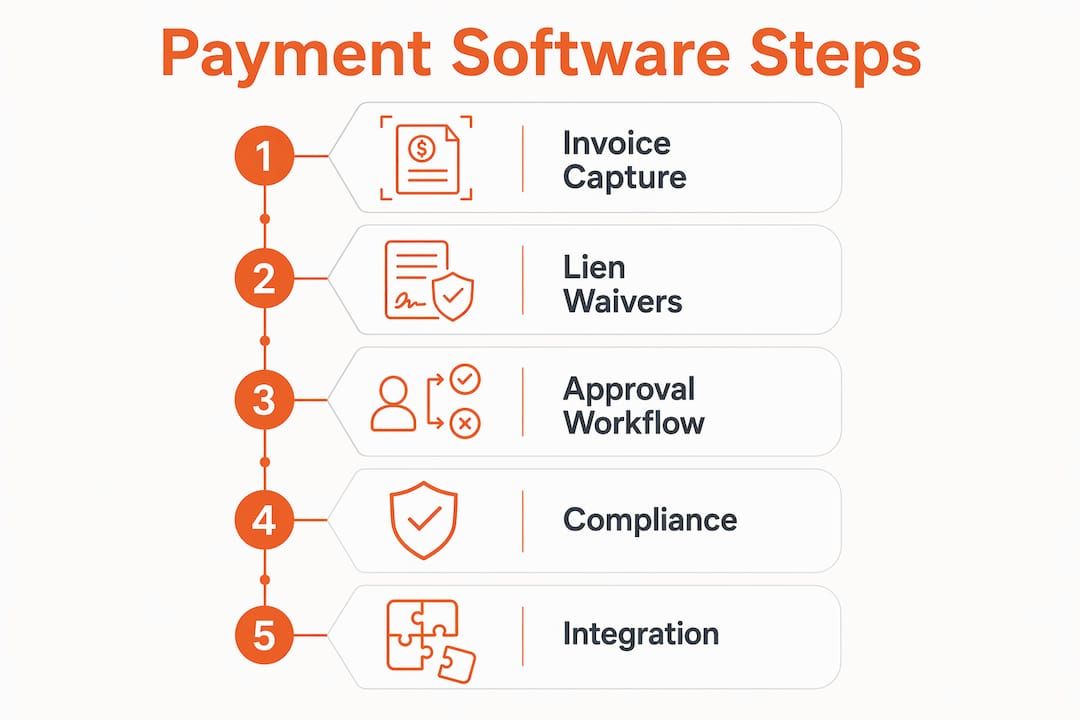
The non-negotiable features for any construction payment tracking tool are automated invoice capture, pay application processing, and lien waiver management. Without these three, you are still doing the heavy lifting manually. Everything else builds on top of them.
Core features to evaluate
Pay application processing covers the creation and submission of AIA G702/G703 forms, which are the standard billing documents used on most commercial projects. Software that auto-populates schedule-of-values line items from your contract cuts hours off each billing cycle. Retainage tracking, which holds back a percentage of each payment until project completion, must be calculated automatically. Manual retainage math is a known source of billing disputes.

Lien waiver automation is where most contractors feel the biggest pain. Automated lien waiver management eliminates the manual cycle of chasing signatures and printing, reducing approval delays by weeks. You need software that generates both conditional and unconditional waivers, routes them for signature, and logs receipt. Waiverpilotpro handles this step without requiring subcontractors to create accounts, which removes a major friction point.
Approval workflows and compliance document management round out the core feature set. Joint check workflows, certificates of insurance (COI) tracking, and audit trail logging are construction-specific requirements that generic accounting tools miss entirely.
Integration depth matters
Your payment tracking tool must connect to your existing software stack. Integrations with platforms like Procore and accounting systems like QuickBooks or Sage determine whether data flows automatically or requires manual re-entry. Re-entry creates errors and delays. Prioritize tools that offer native integrations over those that rely on third-party connectors.
| Feature category | What to look for |
|---|---|
| Pay application processing | AIA G702/G703 support, schedule-of-values billing |
| Lien waiver management | Conditional and final waiver generation, mobile signing |
| Retainage tracking | Auto-calculated holdbacks, release scheduling |
| Approval workflows | Multi-tier approvals, audit trails, compliance alerts |
| ERP/PM integrations | Native connections to Procore, QuickBooks, Sage |
| Compliance document tracking | COI management, lien deadline alerts |
Pro Tip: If your projects are under $1 million in contract value, you likely do not need an enterprise platform with per-transaction fees. Map your actual billing volume first, then match it to a tool tier.
How do you choose the right construction payment tracking software?
Choosing the wrong tool is expensive. Process mapping before purchase prevents overbuying and mismatched tool complexity, which is one of the most common failure points in software adoption.
Step-by-step evaluation process
-
Map your current payment workflow. Write down every step from invoice receipt to payment release. Mark where delays happen and who is responsible at each stage. This map becomes your requirements document.
-
Define your project profile. A residential contractor running 10 simultaneous projects has different needs than a commercial GC managing a $50 million hospital build. Project size, subcontractor count, and billing frequency all affect which feature tier you need.
-
Audit your existing software stack. List every tool your team currently uses for accounting, project management, and document storage. Any new payment tool must integrate with at least your accounting system and your primary project management platform.
-
Evaluate user adoption risk. Platforms that minimize account creation and enable mobile waiver signing reduce delays significantly. If your subcontractors cannot use the tool easily, your payment cycle will not improve regardless of how good the software is.
-
Analyze total cost of ownership. Construction payment software pricing is often complex, with enterprise solutions including per-transaction fees and volume minimums. Add subscription costs, implementation fees, and training time before comparing options.
-
Run a pilot on one project. Test the tool on a single active project before full rollout. Measure invoice-to-approval cycle time before and after. That number tells you whether the software delivers real value.
Pro Tip: Ask your top three subcontractors to test the waiver signing process before you commit to any platform. Their friction is your delay.
How to implement construction payment tracking software step by step
Implementation fails most often because teams skip preparation. Lack of process mapping causes many construction payment software implementation failures. The steps below are ordered to prevent that outcome.
-
Prepare your data. Export your current vendor list, contract values, and retainage schedules from your accounting system. Clean up duplicate entries and standardize naming conventions before importing anything into new software.
-
Configure your chart of accounts and cost codes. Map your existing cost codes to the new system’s structure. Misaligned cost codes cause reporting errors that take months to untangle.
-
Integrate your ERP and project management tools. Connect your accounting system first, then your project management platform. Test data flow with a single project before enabling all projects.
-
Onboard your subcontractors. Send clear instructions explaining what subcontractors need to do to submit pay applications and sign waivers. Keep the process as simple as possible. Subcontractor participation and interface ease critically influence payment cycle efficiency.
-
Configure approval workflows. Set up your approval tiers based on dollar thresholds and document types. Define who approves pay applications, who releases lien waivers, and who has authority to override holds.
-
Train your internal team. Run a live walkthrough with your project managers, accounting staff, and field supervisors. Focus on the three tasks they will perform most often: submitting pay apps, reviewing compliance documents, and releasing payments.
-
Set measurable milestones. Track invoice-to-payment cycle time from day one. Automated construction finance platforms reduce invoice-to-payment cycles by over 50%, from an average of 53 days to 26 days. Use that benchmark to evaluate your progress at 30, 60, and 90 days post-launch.
-
Establish an audit trail review cadence. Schedule a monthly review of your payment logs, compliance document status, and outstanding waivers. Catching gaps early prevents compliance failures on draws.
Change management is not optional. Resistance from project managers who are comfortable with spreadsheets is predictable. Assign a software champion on each project team to answer questions and model correct usage during the first 90 days.
What are the common challenges with construction payment tracking software?
Even well-chosen software runs into predictable obstacles. Knowing them in advance lets you build solutions into your rollout plan rather than scrambling after the fact.
-
Subcontractor adoption delays. Subs who are unfamiliar with digital tools will default to email and paper. The fix is a mobile-friendly interface that requires no account creation. Waiverpilotpro is built specifically for this scenario, letting subcontractors fill in project details and generate notarizable waivers without setting up a profile.
-
Compliance document lapses. Expired COIs and missing lien waivers are the two most common reasons draws get held. Automated reminders tied to expiration dates and payment milestones solve this. Digital waiver generation and mobile signatures speed up payment release and compliance tracking.
-
Integration gaps. When your payment tool does not sync cleanly with your ERP, data lives in two places. The result is duplicate entries, reconciliation errors, and wasted time. Verify integration depth during your pilot, not after full deployment.
-
Approval bottlenecks. Multi-tier approval chains slow payments when approvers are unavailable. Set up delegation rules so a backup approver can act when the primary is out of reach.
-
Data accuracy problems. Garbage in, garbage out. Automation improves transaction speed, documentation quality, audit trails, and compliance adherence, but only when the underlying data is clean. Assign one person to own data quality for the first 90 days.
Pro Tip: Build a “compliance dashboard” view that shows every subcontractor’s waiver status and COI expiration date in one screen. If your software does not offer this natively, create a shared spreadsheet as a stopgap until it does.
Ongoing performance monitoring is not a one-time task. Review your payment cycle metrics monthly and adjust approval thresholds or reminder cadences when you spot new bottlenecks. Reliable payment rhythm established by software improves subcontractor relations and project outcomes over time.
Key Takeaways
Construction payment tracking software delivers its highest return when you map your workflow first, choose features matched to your project scale, and treat subcontractor adoption as a core success metric.
| Point | Details |
|---|---|
| Map before you buy | Document your payment workflow and bottlenecks before evaluating any tool. |
| Match features to project scale | Enterprise platforms with per-transaction fees are unnecessary for smaller project volumes. |
| Prioritize subcontractor ease | Platforms requiring no account creation reduce waiver delays and speed up draws. |
| Automate lien waivers | Digital waiver generation cuts approval delays by weeks and reduces compliance risk. |
| Measure cycle time | Track invoice-to-payment days from day one and benchmark against the 26-day automation standard. |
What I have learned after watching contractors adopt payment software
The contractors who get the most out of payment tracking software are not the ones who bought the most expensive platform. They are the ones who did the boring work first: mapping their process, cleaning their data, and getting their subcontractors on board before go-live.
The single most underestimated factor is subcontractor experience. I have watched projects stall for weeks because a sub could not figure out how to submit a waiver through a platform that required a full account setup, email verification, and a training video. That friction is invisible to the GC until a draw is held. Choosing tools that minimize subcontractor barriers is not a nice-to-have. It is a cash flow decision.
The other thing I would push back on is the idea that AI-powered automation is still a future-state feature. The tools available now can auto-calculate retainage, flag missing compliance documents, and route approvals without human intervention. The gap between contractors using these features and those still running payment cycles on spreadsheets is measurable in days per billing cycle and in the quality of subcontractor relationships.
Financial management authorities are clear that payment software ROI comes mainly from establishing predictable, reliable cash flow. That is the right frame. Do not buy software to solve a paperwork problem. Buy it to build a payment rhythm that your subs trust and your lenders can audit.
— Rowena
How Waiverpilotpro fits into your payment workflow
Lien waiver management is the step where most payment workflows break down. Waiverpilotpro was built to fix exactly that.
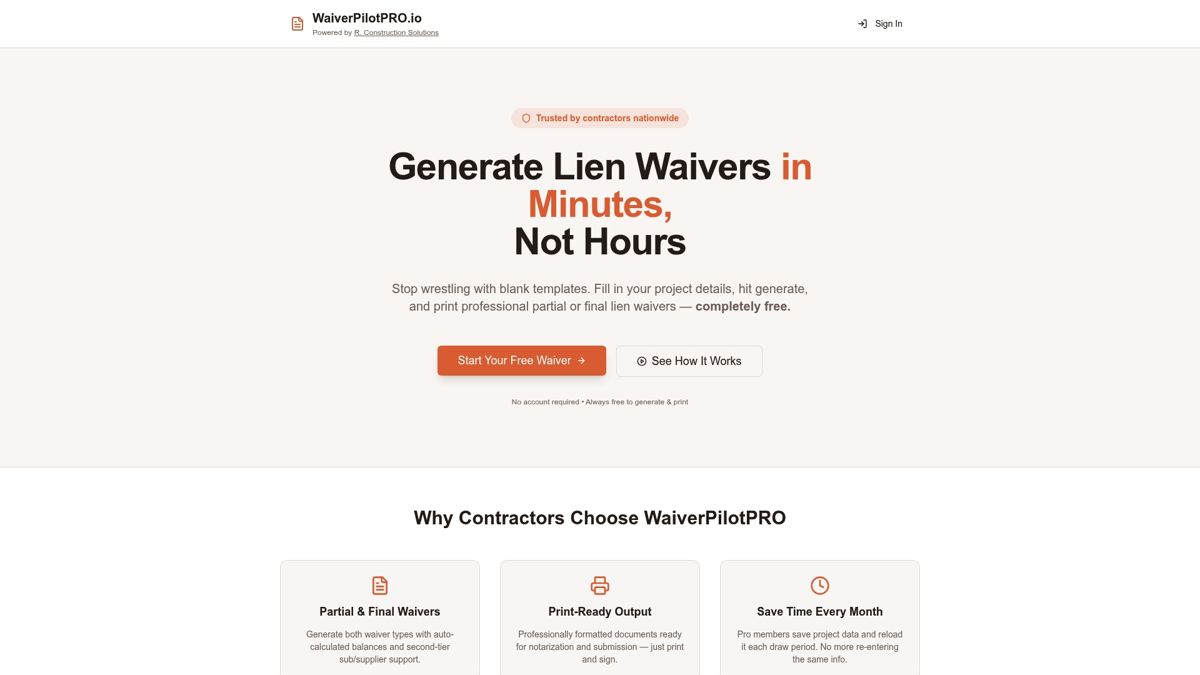
Waiverpilotpro lets contractors fill in project details and generate both conditional and final waivers for free, with no account creation required for subcontractors. The platform integrates with Procore and QuickBooks, so waiver data moves with your payment workflow rather than sitting in a separate system. Documents are professional-grade and notarizable, ready for submission without reformatting. If you want to cut the time your team spends chasing waiver signatures, start with the free lien waiver generator and see how many steps you can remove from your next draw cycle.
FAQ
What is construction payment tracking software?
Construction payment tracking software is a digital tool that automates pay application processing, lien waiver management, retainage tracking, and approval workflows specific to construction projects. It replaces manual billing cycles with automated document generation and compliance monitoring.
How does payment tracking software reduce invoice-to-payment time?
Automated platforms reduce invoice-to-payment cycles from an average of 53 days to 26 days by eliminating manual data entry and accelerating approval routing. The biggest gains come from automated lien waiver generation and digital approval workflows.
What is a lien waiver and why does it matter for payment tracking?
A lien waiver is a document in which a contractor or subcontractor gives up the right to file a mechanics lien in exchange for payment. It is a required compliance document on most projects, and delays in collecting signed waivers directly hold up payment draws.
How do I evaluate construction payment software for my project size?
Map your billing volume, subcontractor count, and existing software integrations before evaluating tools. Smaller operations rarely need enterprise platforms with per-transaction fees. Match the tool’s complexity to your actual workflow requirements, not to a feature list.
Does Waiverpilotpro integrate with construction management platforms?
Waiverpilotpro integrates with Procore and QuickBooks, allowing lien waiver data to move directly within existing construction payment workflows. The platform also supports AIA G702 and G703 pay applications to keep billing and waiver documentation aligned.