
Digital Waiver Generation Advantages for Contractors
Generating lien waivers digitally shortens payment cycles, cuts missing-waiver risk at closeout, and speeds retainage release. That’s the short version. For a project manager buried in pay applications, the real payoff shows up in three places: fewer signature errors, direct integration with payment holds, and automatic follow-up when a conditional waiver needs to become unconditional.
The Associated General Contractors of America has long flagged waiver tracking as one of the most time-consuming, error-prone parts of a project accountant’s month. CFMA’s research on days-sales-outstanding shows how much cash sits idle when waiver paperwork lags behind payment. WaiverPilotPRO exists specifically to close that gap, generating conditional and unconditional waivers that plug into the accounting and project management software contractors already use.
The fastest wins from digital waiver generation tend to fall into three buckets:
- Fewer signature errors. Auto-populated fields eliminate the transposed dollar amounts and mismatched project names that stall a payment application.
- Faster payment-hold integration. Waivers tied directly to your accounting platform mean payment doesn’t move until the paperwork clears, without anyone chasing it manually.
- Automated unconditional follow-up. The system flags when a conditional waiver needs to convert to unconditional once a check clears, instead of relying on someone’s memory.
Key Takeaways
Digital waiver generation works because it ties signature capture directly to payment release, cutting collection time from days to hours and closing the gaps that cause missing-waiver delays at closeout.
| Point | Details |
|---|---|
| Payment holds drive the biggest gains | Linking waiver receipt to payment release raised collection rates from roughly 80% to 97% in one case study. |
| Automate both waiver directions | Automating conditional waivers without the unconditional follow-up recreates the same compliance gap. |
| Audit before you enforce | Run a waiver inventory audit and clear the backlog before switching on payment holds. |
| Match tools to portfolio size | Small portfolios need correct templates; enterprise portfolios need dashboards and AI auto-fill. |
| WaiverPilotPRO covers the core checklist | Its free generator produces state-specific, notarizable waivers with integrations for Procore, QuickBooks, JobTread, Buildertrend, and Sage. |
Table of Contents
- What Are the Concrete Advantages of Digital Waiver Generation?
- How Do Digital Tools Handle Conditional, Unconditional, Partial, and Final Waivers?
- Where Does Digital Waiver Generation Fit in Your Payment Workflow?
- What Legal and Compliance Issues Should You Check First?
- How Do You Choose the Right Lien Waiver Generator?
- Rolling Out Digital Waivers Without the Common Missteps
- Solution Spotlight: How WaiverPilotPRO Solves These Problems
- Author Perspective: Real-World Time Savings and ROI Expectations
- Sources
What Are the Concrete Advantages of Digital Waiver Generation?
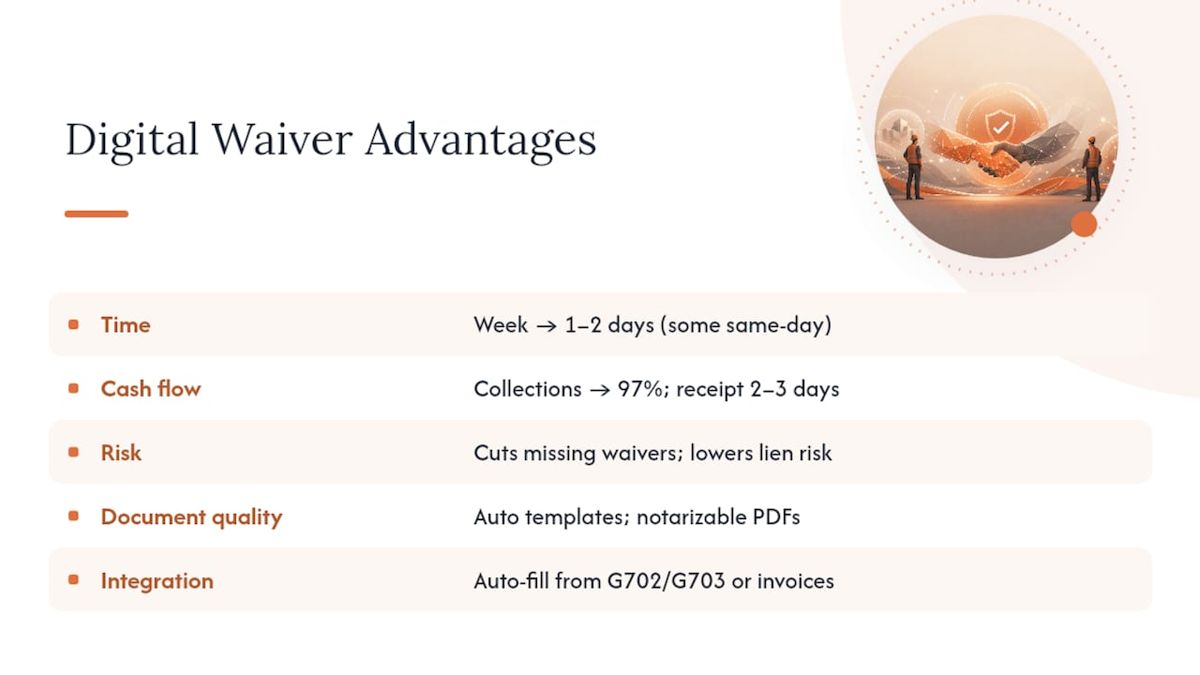
The advantages break down into five categories: time, cash flow, risk, document quality, and integration. Each one compounds the others.
Time savings show up first. Manual waiver tracking eats hours every pay cycle, particularly on projects with a dozen or more subcontractors submitting overlapping pay applications. Automation compresses what used to take a week of chasing signatures into one or two days, according to US Tech Automations’ compliance research. Some firms report same-day compiled closeout packages once the process runs through software instead of email threads.
Cash flow improves because waivers stop bottlenecking retainage release. One case study found that tying waiver receipt directly to payment processing raised collection rates from roughly 80 to 85 percent up to 97 percent, while cutting average days-to-receipt from a week or more down to two or three days. That’s not a marginal improvement. It’s the difference between retainage sitting in limbo and cash actually reaching your account before the next payroll run.
Statistic Callout: Modeling from US Tech Automations put three-year ROI modeled to be multiple times the platform costs for a mid-size general contractor in a moderate adoption scenario, with platform costs estimated in the thousands annually against substantial net savings over three years. Treat that as an industry-modeling estimate, not a guarantee for every firm, but it illustrates the scale of what’s on the table.
Risk reduction matters just as much as speed. Missing lien waivers are consistently cited as the top cause of delayed final payment, and a single missing waiver at closeout can hold up an entire draw. Automation catches that gap before it becomes an emergency, and it reduces the mechanic’s lien exposure that comes from a subcontractor slipping through the cracks.
Document quality rises too. A digital generator applies the correct jurisdictional template automatically instead of relying on whatever waiver form someone found in a shared drive three years ago. Outputs come out as professional, notarizable PDF and Word documents, ready to drop straight into an owner’s draw package. WaiverPilotPRO’s free lien waiver generator produces exactly this kind of output without requiring an account to get started.
Integration ties it together. Auto-populating waiver amounts from a G702/G703 pay application, or from invoice data already sitting in your accounting system, removes the re-keying that causes half the errors in the first place.
Pro Tip: If you can only automate one piece of this workflow first, automate the payment hold. Linking waiver receipt to payment release forces the compliance behavior you actually want, and it delivers the fastest measurable ROI of any single change.
How Do Digital Tools Handle Conditional, Unconditional, Partial, and Final Waivers?
Every lien waiver falls into one of four categories, and getting the sequencing wrong is where most manual processes break down.
- Conditional waiver: Signed in exchange for a promise of payment, but only takes effect once that payment actually clears.
- Unconditional waiver: Signed after payment has cleared, with no strings attached. It’s the one lenders and owners actually want in the closeout file.
- Partial waiver: Covers a specific pay period or draw, not the entire contract value.
- Final waiver: Covers the full contract amount, typically executed at project closeout.
A digital generator handles the mechanics that trip up manual processes. It pulls the correct statutory template from a 50-state library, since waiver language that’s legally valid in Ohio can be worthless in Texas. It auto-populates the payment amount, the billing period, and the payee name directly from project data rather than requiring someone to retype figures from a spreadsheet.
The pitfalls automation avoids are specific and recurring: using the wrong state’s language, forgetting to trigger the unconditional follow-up once a check clears, and manual re-keying errors that turn a $45,000 draw into a $4,500 typo. Understanding how the “through date” affects partial and final waivers matters here too, since that single field determines exactly what portion of the contract the waiver actually covers.

Here’s how the sequence typically runs: a subcontractor submits a pay application matching lines from the G702/G703. The system generates a conditional waiver tied to that specific payment amount. Once the payment clears, a matching unconditional waiver auto-generates and routes for signature, closing the loop without anyone needing to remember the second step. For a plain breakdown of when each type applies, see WaiverPilotPRO’s guide to conditional versus unconditional waivers.
Where Does Digital Waiver Generation Fit in Your Payment Workflow?
The sequence below reflects how most mid-size contractors structure the process once they move off manual tracking:
- Pay application approval. The PM or superintendent approves the pay app, typically inside Procore or JobTread.
- Waiver generation. The system auto-generates a conditional waiver using the approved amount and current pay period.
- Send for signature. The subcontractor receives a login-free signing link, removing the account-creation friction that stalls manual processes.
- Payment hold verification. Accounting confirms the signed waiver is on file before releasing payment through QuickBooks or Sage.
- Payment release. Funds move once the waiver clears the hold.
- Unconditional follow-up. The system triggers an unconditional waiver request once payment clears the bank.
- Archive and closeout. Signed waivers attach automatically to the pay-app record for the eventual closeout package.
Three-way matching, tying the pay application, the waiver, and the payment together, is standard best practice in construction accounts payable, and it’s what prevents leakage between departments that normally track this information separately.
Role assignments matter here. The project accountant typically configures templates and payment-hold rules. The PM enforces the hold on the project side, refusing to advance payment without a signed waiver on file. Accounting runs monthly reconciliation to catch anything that slipped through. On a typical rollout, teams see waiver-collection rates jump within the first two pay cycles simply because the hold forces the behavior everyone already knew they should be following.
Pro Tip: Assign one person as the “waiver owner” for each project. Even fully automated systems need a human who checks the exception queue weekly, because subcontractors do occasionally go dark.
What Legal and Compliance Issues Should You Check First?
Automation removes friction, but it doesn’t remove your obligation to get the legal details right.
- State statutory templates: Some states will void a waiver outright if it uses the wrong statutory language, even if every dollar amount is correct.
- Notarization requirements: A handful of states require notarized waivers, and e-notary options increasingly clear that bottleneck without forcing a trip to a physical notary.
- E-signature acceptance: Confirm your jurisdiction and waiver type accept electronic signatures before you rely on them for a final waiver package.
- Retention and audit trail: Store signed waivers alongside pay-app records, and keep the ability to export a complete closeout package as professional PDF or Word documents for lender or owner review, as outlined in guidance on construction lender payment requirements.
Rolling out payment holds without first accounting for waivers already outstanding is a common misstep. Running a waiver inventory audit before flipping the automation switch catches gaps before they turn into closeout surprises.
Legal Caveat: State requirements for waiver language and notarization vary and change; confirm current rules with your construction attorney before relying on any template for a specific project.
How Do You Choose the Right Lien Waiver Generator?
A short checklist keeps the evaluation grounded in what actually matters for a contracting business rather than feature-list noise.
Core criteria:
- 50-state statutory template coverage
- E-notarization support where your state requires it
- Automatic unconditional-waiver triggering after payment
- Login-free signing for subcontractors
- A searchable audit trail for every waiver issued
Integration criteria:
- Compatibility with Procore, QuickBooks, JobTread, Buildertrend, and Sage
- Payment-hold support, since this is the single highest-leverage feature for compliance
- Two-way sync so waiver status reflects back into your accounting platform
Match the feature set to your portfolio size:
- One to five active projects: Prioritize the free generator tier and correct state templates. You don’t need bulk sends yet.
- Five to fifteen projects: Prioritize multi-subcontractor batch sending, CSV import, and payment-hold integration with your accounting software.
- Enterprise portfolios: Prioritize AI-powered contract auto-fill, project saving across dozens of jobs, and centralized compliance dashboards that give leadership visibility across every open project at once.
Security and custody matter regardless of scale. Confirm the platform retains signed originals long enough to satisfy your state’s lien statute of limitations, and confirm you can export a full draw package on demand for a lender review.
Rolling Out Digital Waivers Without the Common Missteps
Start with a waiver inventory audit. Before you flip on any payment hold, collect every outstanding waiver across active projects, especially anything within six months of closeout. Turning on enforcement before you’ve cleared the backlog just creates a pile of blocked payments and frustrated subcontractors.
Communicate the change directly to your subs with a one-page explanation. Frame it around what’s in it for them: signed waivers mean faster payment, full stop. Most subcontractors will comply quickly once they understand the connection.
Pilot on one to three projects before scaling company-wide. Enable payment holds on those pilots first, watch how the first two pay cycles perform, then expand once you’ve worked out any template or routing issues.
The recurring mistakes worth naming directly:
- Automating conditional waivers but leaving the unconditional follow-up manual, which recreates the exact gap you were trying to close.
- Failing to configure payment-hold rules, so the system generates waivers but never actually enforces collection.
- Skipping subcontractor communication, which turns a compliance improvement into a customer-service headache.
Pro Tip: Build a simple escalation ladder: a timed email reminder at three days, a text message at seven days, and a direct PM phone call at ten days. Escalation that’s automated but still personal collects waivers faster than a system that just sends the same email on a loop.
Solution Spotlight: How WaiverPilotPRO Solves These Problems
WaiverPilotPRO gives you a free generator for unlimited basic conditional and unconditional waivers, no account required to get started, and a Pro tier for teams that need more horsepower.
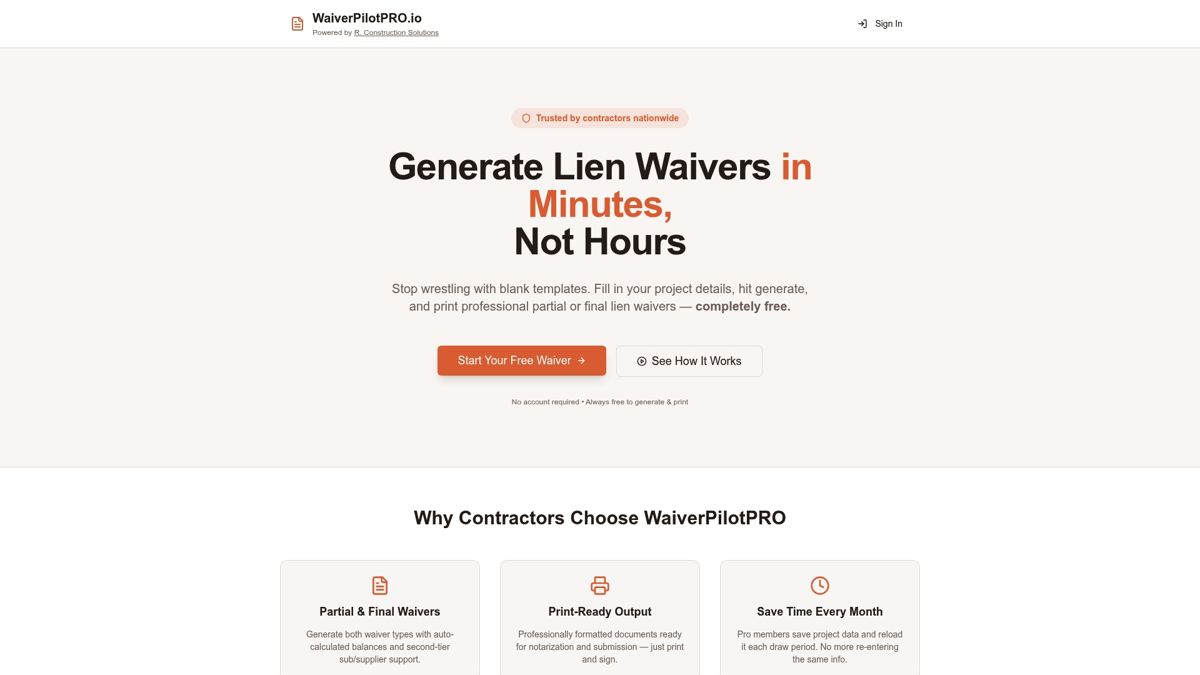
The feature set maps directly to the checklist above. State-specific templates cover the waiver-language traps that void documents in the wrong jurisdiction. Auto-calculated balances remove the manual math that causes transposed figures. Multi-subcontractor support lets project accountants send batches instead of one-off emails. Integration with Procore, QuickBooks, JobTread, Buildertrend, and Sage means waivers connect to the systems you’re already running payment through, rather than living in a separate silo. Pro subscribers also get AI-powered contract auto-fill, which pulls fields directly from uploaded contracts instead of requiring manual entry project by project.
If you’re managing waivers manually right now, or your JobTread and Procore data isn’t talking to your waiver process, start with the free lien waiver generator and see how the auto-calculated fields and professional PDF output compare to whatever spreadsheet or template you’re using today. If integrations are your biggest pain point, check the JobTread-specific generator to see how the pay-app trigger works in practice.
Author Perspective: Real-World Time Savings and ROI Expectations
The gap between what contractors expect from waiver automation and what actually delivers value is smaller than most people assume, and it comes down to one decision: whether you connect the waiver process to payment, or leave it as a parallel paperwork exercise.
Teams that treat digital waiver generation as “faster paperwork” get modest time savings and not much else. Teams that treat it as a payment-control mechanism, tying signature receipt directly to release, see the bigger shift: retainage that used to sit for a week or more clears in two to three days once the hold is enforced consistently. That’s not a hypothetical. It’s the pattern shown across multiple automation case studies in this space, and it tracks with what makes intuitive sense to anyone who’s chased a subcontractor for a signature on a Friday afternoon.
The credibility signal worth remembering: a tool is only as useful as its weakest link. Integration with your actual accounting platform, notarizable output your bank will accept, and an audit trail you can hand to a lender without apology, those three things determine whether digital waiver generation saves you real hours or just moves the paperwork from one inbox to another.
Sources
For readers who want to go deeper on specific pieces of this workflow, these resources cover the ROI modeling, compliance mechanics, and product paths referenced above.
- Construction Payment Management: The Complete Guide | Corpay
- Compliance tips for demolition: the contractor’s guide
- Top Workforce Compliance Tools for Contractors in 2026