
GC Payment Application Explained: A Contractor’s Guide
A GC payment application, known in the industry as a pay app, is a formal, structured progress-billing package — not a simple invoice — that documents completed work and requests payment under the contract. Its primary purpose is to create a legally defensible, auditable record linking your percent-complete billing to the Schedule of Values (SOV) so the architect or owner can certify what you’re owed. The two standard forms behind nearly every commercial pay app in the U.S. are AIA G702 and G703: G702 summarizes the payment request and certifies the amount due, while G703 breaks the contract sum into SOV line items. Most complete packages also include conditional progress lien waivers, stored materials documentation, and approved change orders. Tools like Waiverpilotpro make the lien waiver portion faster by auto-generating notarizable documents that slot directly into your package.
At a glance, a pay app package typically contains:
- AIA G702 — the summary application and certification form
- AIA G703 — the continuation sheet tied to your Schedule of Values
- Conditional progress lien waivers — from you and your subs
- Stored materials documentation — receipts and photos for materials on-site but not yet installed
- Approved change orders — with backup showing owner authorization
- Payroll or wage reports — only when the contract specifically requires them
Table of Contents
- What makes a pay app different from a regular invoice?
- What goes inside a complete pay app package?
- How are pay app amounts calculated?
- What does the submission and review timeline look like?
- How to prepare a pay app that passes review quickly
- Step-by-step checklist to assemble and submit your pay app
- What reviewers flag and how to avoid those problems
- How Waiverpilotpro helps with lien waivers in your pay app
- Key Takeaways
- The part most contractors underestimate
- Cut the lien waiver bottleneck out of your pay app
- Useful sources and templates
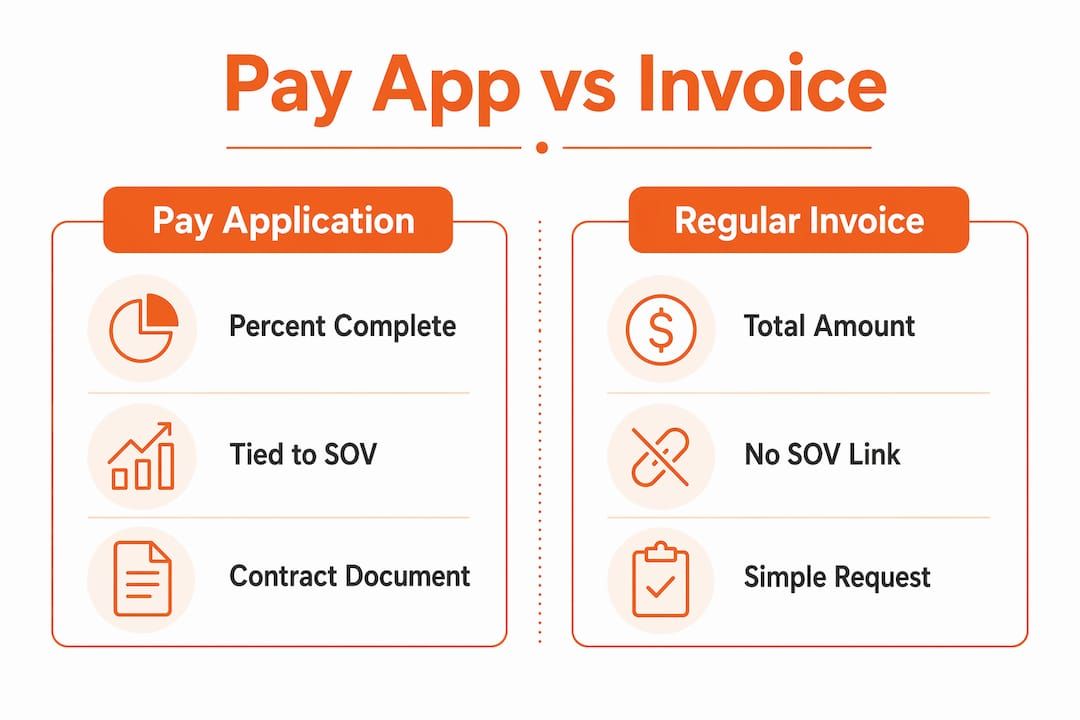
What makes a pay app different from a regular invoice?
A standard invoice says “you owe me $X.” A pay app says “here is the documented evidence that $X of work has been completed, here is how that maps to the agreed SOV, and here is the certification chain that authorizes you to release funds.” That distinction matters in practice because owners, lenders, and architects need a structured package they can audit, not just a dollar figure.
Who touches a pay app at each stage:
- General contractor — assembles and submits the package each billing cycle
- Architect or construction manager — reviews the application, verifies percent complete against field observations, and certifies the amount on G702
- Owner or lender — releases funds only after certification; lenders on construction loans often require G702/G703 as a draw condition
- Subcontractors — submit their own pay apps to the GC, mirroring the same format for their scope
Pay apps are standard on commercial projects, government contracts, and any job where an AIA A201 general conditions document governs the work. Monthly billing cycles are the norm, though some contracts specify milestone-based submissions.
Pro Tip: Read your contract’s “Applications for Payment” article before your first submission. It will specify the submission date, the review window, and exactly which attachments are required — missing one can reset the clock on your payment.
What goes inside a complete pay app package?
The table below shows the core documents, their purpose, and whether they are universally required or contract-dependent.
| Document | Purpose | Required? |
|---|---|---|
| AIA G702 | Summary of contract sum, work completed, retainage, and amount due | Yes — or equivalent |
| AIA G703 / SOV Continuation | Line-item breakdown supporting G702 totals | Yes — or equivalent |
| Conditional progress lien waiver | Waives lien rights conditioned on receiving this payment | Standard on most projects |
| Stored materials documentation | Receipts, delivery tickets, photos for on-site materials not yet installed | When claiming stored materials |
| Approved change orders | Written owner authorization and pricing backup | When change orders affect the billed amount |
| Vendor invoices / subcontractor pay apps | Backup for amounts billed by subs and suppliers | Often required by owner or lender |
| Payroll / certified payroll reports | Wage compliance documentation | Prevailing-wage or public projects |
AIA G702 and G703 work together as a matched set: G702 gives the high-level summary, G703 supports it with itemized detail. Owners and architects use both to verify that the numbers add up before releasing funds. Before owners release funds, they commonly require signed lien waivers from lower-tier contractors — conditional waivers for progress payments and unconditional waivers for amounts already paid.
Pro Tip: Organize your attachments in the same order every month. Reviewers develop a rhythm, and a consistent package structure means fewer “where is the waiver for sub X?” calls.
How are pay app amounts calculated?
The Schedule of Values is the foundation. At the start of the project, you and the owner agree on how the contract sum breaks into line items — concrete, framing, MEP rough-in, finishes, and so on. Each billing period, you update each line item with the percentage of work completed to date.
The math for each line item works like this:
- Value completed to date — multiply the line-item contract value by the percent complete (e.g., $80,000 framing × 60% = $48,000)
- Subtract previous billings — the amount already certified in prior pay apps for that line item
- Add stored materials — the value of materials delivered and stored on-site but not yet installed
- Apply retainage — most contracts hold back a percentage (commonly 10%, sometimes reducing to 5% after substantial completion) from each certified amount; this is tracked in G703 and summarized in G702
- Sum across all line items — the net of steps 1–4 across every SOV line gives you the current payment due
Aligning progress billing to the SOV means every stakeholder is evaluating completion against the same set of numbers, which is the single most effective way to prevent disputes over quantities or percent complete. Change orders affect the contract sum and must be reflected in G702 as approved additions or deductions before you bill for that work.
What does the submission and review timeline look like?
Most commercial contracts set a monthly billing cycle with a fixed submission date — often the 25th of the month for a payment due 30 days later. The sequence typically runs:
- Contractor submits the complete package by the contract deadline
- Architect or CM reviews field progress against the application, usually within 7–14 days per AIA A201 defaults
- Architect certifies the amount on G702 and forwards to the owner
- Owner releases payment within the contract’s payment window, often 30 days from certification
- Retainage is held until substantial completion or the contract’s release conditions are met
- Conditional waivers from subs are collected before or concurrent with payment; unconditional waivers follow once funds clear
Missing the submission deadline by even one day can push your payment an entire month. That cash-flow gap compounds fast on a multi-month project.
Pro Tip: Set a recurring internal deadline two to three days before the contract submission date. That buffer gives you time to chase missing sub waivers without blowing the cycle.

How to prepare a pay app that passes review quickly
The contractors who get certified fastest are the ones who document continuously rather than scrambling at month-end. Reviewers rarely push back on a well-organized package with clear field evidence behind every line item.
Practical habits that reduce reviewer questions:
- Take progress photos by SOV line item, not just by date. A photo labeled “Framing — 60% complete, Building B, Level 2” is far more useful than an undated job-site shot.
- Keep daily logs current. A log entry noting quantities placed, crew size, and weather conditions is contemporaneous evidence that’s hard to dispute.
- Track quantity take-offs as work progresses, not retroactively. Running totals make the percent-complete calculation straightforward and defensible.
- File material delivery receipts immediately. Stored materials claims require documentation; a missing receipt means you can’t bill for that material this cycle.
- Organize backup by SOV line item so reviewers can cross-check each line without hunting through a disorganized attachment pile.
Subcontractors who submit compliance documents faster tend to experience fewer delays at the GC level, which flows directly into faster certification for the whole package.
Pro Tip: Create a shared folder structure that mirrors your SOV. Drop photos, receipts, and logs into the matching line-item folder as the work happens. Assembly at month-end becomes a copy-paste exercise.
Step-by-step checklist to assemble and submit your pay app
Use this sequence every billing cycle to keep the process consistent and complete.
- Update your SOV — enter quantities completed to date for each line item and calculate percent complete
- Calculate the current payment amount — apply the retainage formula, subtract previous billings, add stored materials
- Collect conditional progress lien waivers from every subcontractor and supplier you’re billing for this period; use the correct partial vs. final waiver type for progress payments
- Attach stored materials documentation — delivery receipts, photos, and a brief description for each item claimed
- Attach approved change orders — include the owner’s written authorization and the pricing breakdown
- Run an internal QA check — confirm G702 totals match G703 line-item sums, all waivers are signed, and no attachments are missing
- Sign G702, attach G703 and all supporting documents, and submit per the contract’s specified method (email, owner portal, or physical delivery) by the deadline
Pro Tip: Build a simple checklist in a spreadsheet and check off each item before you hit send. A five-minute review catches the missing waiver that would have delayed your payment by 30 days.
What reviewers flag and how to avoid those problems
Pay apps get held up for predictable reasons. Knowing the common red flags lets you fix them before submission.
- SOV numbers that don’t reconcile — if your G702 total doesn’t match the sum of G703 line items, the reviewer stops immediately. Double-check the math before signing.
- Missing or unsigned lien waivers — a waiver with a blank signature line or the wrong waiver type (unconditional instead of conditional for a progress payment) is a hard stop. Understand the difference between conditional and unconditional waivers before you collect signatures.
- Stored materials without documentation — claiming $40,000 in stored materials with no delivery receipt or photo gives the reviewer no basis to certify it.
- Change order amounts billed without written approval — billing for a change order the owner hasn’t formally approved is one of the fastest ways to get a pay app rejected in full.
- Percent-complete claims that outpace field observations — if you bill 80% complete on a scope the architect observed at 60%, expect a certification reduction and a conversation.
Pro Tip: Ask the architect or CM what their biggest pay-app frustrations are, early in the project. You’ll get a direct list of what to prioritize in your package.
How Waiverpilotpro helps with lien waivers in your pay app
The lien waiver portion of a pay app package is often the most time-consuming piece, especially when you’re managing multiple subcontractors. Waiverpilotpro addresses that directly.
- Free lien waiver generator — create conditional progress waivers and final waivers without account creation or complex templates
- Auto-calculated balances — the platform calculates remaining contract balances so you’re not doing that math manually for each sub
- Multi-subcontractor support — generate waivers for multiple subs in a single session, which matters when you have a dozen trades billing the same cycle
- Notarizable, professional-grade documents — the output is ready for submission without reformatting
- Integrations with Procore and QuickBooks — if your project runs on either platform, Waiverpilotpro connects directly, pulling project data into the waiver without manual re-entry
Using standardized forms and templates reduces reviewer friction; many contractors adopt AIA-style formatting even when the contract uses alternate forms because the structure speeds certification. Waiverpilotpro’s templates follow that same logic for the waiver side of the package.
Pro Tip: Generate your conditional progress waivers at the same time you update your SOV — not the day before submission. That gives subs time to sign without a last-minute scramble.
Key Takeaways
A GC payment application is a structured, SOV-linked billing package that creates the auditable record architects and owners need to certify and release progress payments.
| Point | Details |
|---|---|
| Pay app vs. invoice | A pay app documents percent-complete work tied to the SOV; an invoice is just a billing statement. |
| Core forms | AIA G702 summarizes the request; AIA G703 provides the line-item SOV breakdown — both are required on most commercial jobs. |
| Lien waivers are mandatory | Conditional progress waivers from subs and suppliers are standard before owners release funds. |
| Document continuously | Progress photos, daily logs, and delivery receipts captured in real time reduce reviewer questions and speed certification. |
| Waiverpilotpro | Generates free conditional and final lien waivers with auto-calculated balances and Procore/QuickBooks integrations to speed pay app assembly. |
The part most contractors underestimate
Pay apps are often treated as administrative paperwork — something to knock out at the end of the month. That framing is where most payment delays start. The pay app is actually your primary financial control document on a commercial project. It’s the record that determines not just whether you get paid this cycle, but whether you have the documentation to defend a lien claim or a dispute months later.
The contractors I see get into trouble aren’t the ones who don’t know what a G702 is. They’re the ones who know the forms but treat the backup documentation as optional. A signed G702 with no field evidence behind it is a certification waiting to be challenged. The SOV alignment, the photos, the daily logs — those aren’t bureaucratic extras. They’re the proof that the number on the form is real.
The other thing worth saying plainly: lien waivers are not just a box to check. A conditional progress waiver is a legal instrument that trades your lien rights for payment. Getting the type wrong — signing an unconditional waiver before payment clears, for instance — can cost you leverage you can’t get back. That’s why having a reliable, accurate waiver generator in your workflow matters more than most contractors realize until they need it.
Cut the lien waiver bottleneck out of your pay app
The hardest part of assembling a pay app on time is usually chasing down signed lien waivers from subcontractors and suppliers. Waiverpilotpro removes that friction. You fill in the project details, the platform auto-calculates the balances, and you get professional, notarizable conditional or final waivers ready to attach — no account creation required, no complex templates to manage.
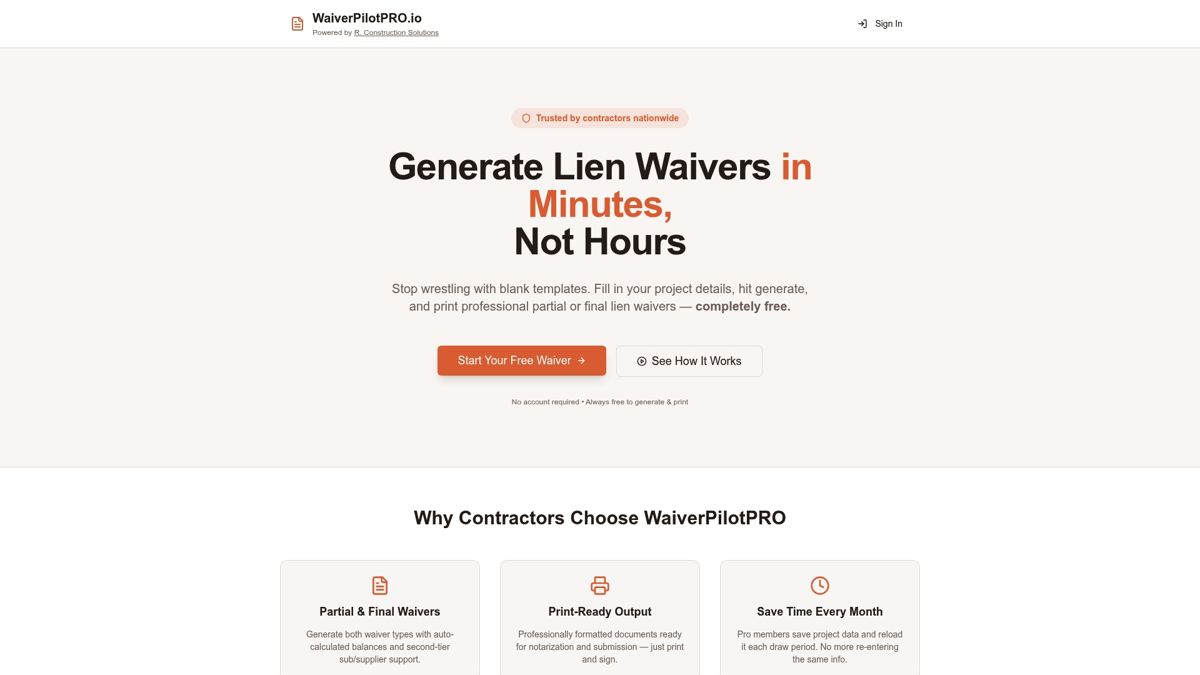
If your project runs on Procore or QuickBooks, the integration pulls project data directly so you’re not re-entering information you already have. Multi-subcontractor support means you can generate waivers for your entire sub list in one session, right before your submission deadline. The documents are formatted for immediate submission and built to hold up to reviewer scrutiny.
Start generating your free lien waivers at Waiverpilotpro today, or download a ready-to-use lien waiver form in PDF or Word format to add to your next pay app package.
Useful sources and templates
- AIA G702 & G703 Pay App Guide + Free Lien Waiver Generator — Waiverpilotpro’s guide to both forms with downloadable templates; start here if you need a practical walkthrough tied to real waiver documents
- How To Complete AIA G702 & G703 Forms — AIA Contract Documents’ own on-demand webinar; the authoritative source for form-completion rules and certification workflow
- A Contractor’s Guide to AIA Billing — Procore’s overview of AIA billing standards, including when G702/G703 are required and how they interact with construction management software
- AIA G702-1992 and G703 Legal Context — explains the legal trust signals built into the certification process and what the architect’s signature on G702 actually means
- Free Construction Forms & Lien Waiver Templates — downloadable PDF, Word, and Excel templates for pay app attachments, including conditional and unconditional waivers
- Progress Payment Lien Waiver Guide — plain-English explanation of how conditional progress waivers work and when to include them in your package
- Compliance Documentation for Subcontractors — practical guidance on compliance document workflows that help subcontractors submit faster and reduce GC-level delays
This article is general information for contractors and construction professionals, not legal or financial advice. Confirm current AIA form requirements, lien waiver rules, and contract terms with a qualified construction attorney or your project’s contract documents for your specific situation.