
Contract Compliance Checklist: A Contractor’s Quick Guide
A contract compliance checklist is a structured reference tool that project managers and contractors use after a contract review to confirm every key obligation, deadline, and regulatory requirement has been identified, assigned, and tracked. Think of it as a gap-finder, not a substitute for legal counsel. The World Bank PPP construction contracts checklist is explicit on this point: the checklist follows a full contract review; it does not replace one.
TL;DR: A contract compliance checklist reduces payment risk, speeds up subcontractor onboarding, and keeps your project out of disputes by turning contract obligations into live, assigned action items.
Key areas it covers:
- Contract documents, scope, and order of precedence
- Notice provisions and time bars (OSHA and regulatory requirements)
- Payment terms, retainage, change orders, and lien waivers
- Subcontractor flow-down obligations and insurance verification
Waiverpilotpro’s lien-waiver workflows plug directly into the payment verification steps of this checklist, which is covered in detail below.
Table of Contents
- What should your checklist cover?
- Common pitfalls that defeat checklist value
- A copyable contract compliance checklist for construction
- How do lien waivers fit into your compliance checklist?
- Which tools help you run a checklist more efficiently?
- Key Takeaways
- Why documentation and payment controls deserve more attention than they get
- Waiverpilotpro cuts the admin out of waiver compliance
- Useful sources and references
What should your checklist cover?
A solid contractual obligations checklist groups items into two broad categories: contractual and regulatory. Here is what each should include, with sample questions your team can copy directly into a register.
Contractual items
- Contract documents: Are all contract documents listed, executed, and consistent? Do you have the signed agreement, drawings, specifications, and any addenda?
- Order of precedence: Which document controls in a conflict? Is the order stated explicitly?
- Scope of work: Is the scope defined clearly enough to price change orders? Are exclusions listed?
- Notice provisions and time bars: What is the notice period for claims? Who receives the notice? What clause reference applies? Per IAX.digital’s notification guidance, a valid formal notice typically requires the recipient, the clause reference, the timeline (often 28 days), a description of the event, the awareness date, and a preliminary impact statement. Missing any element can kill entitlement.
- Payment terms and retainage: What is the payment cycle? What percentage is held as retainage, and what triggers its release?
- Change-order procedures: What approvals are required before work proceeds? Is verbal direction acceptable?
- Milestones and liquidated damages: Are milestone dates clearly defined? What is the daily rate for delay damages?
- Indemnity and limits on liability: Does the indemnity clause require you to defend claims even when you are not at fault? Is there a cap on liability? The Berkley Construction Professional checklist recommends negotiating mutual indemnity language and confirming that the standard of care is defined rather than implied.
- Dispute resolution: Is there a mandatory mediation step before arbitration or litigation? What is the governing law?
- Termination and suspension: What triggers each, and what notice is required?
Common pitfalls that defeat checklist value
Most compliance failures are not caused by bad contracts. They come from how the checklist is used, or not used.
- Missing notice deadlines — IAX.digital’s analysis shows that failing to meet the formal elements of a notice can extinguish an otherwise valid claim. The consequence is not a procedural penalty; it is lost money.
Duane Morris and Perfomir’s construction checklist guidance both emphasize that a written agreement with clear accountability is the foundation for avoiding these problems. Pair that with a written contractor agreement that mirrors your prime contract obligations, and you close most of the gaps before work starts.
A copyable contract compliance checklist for construction
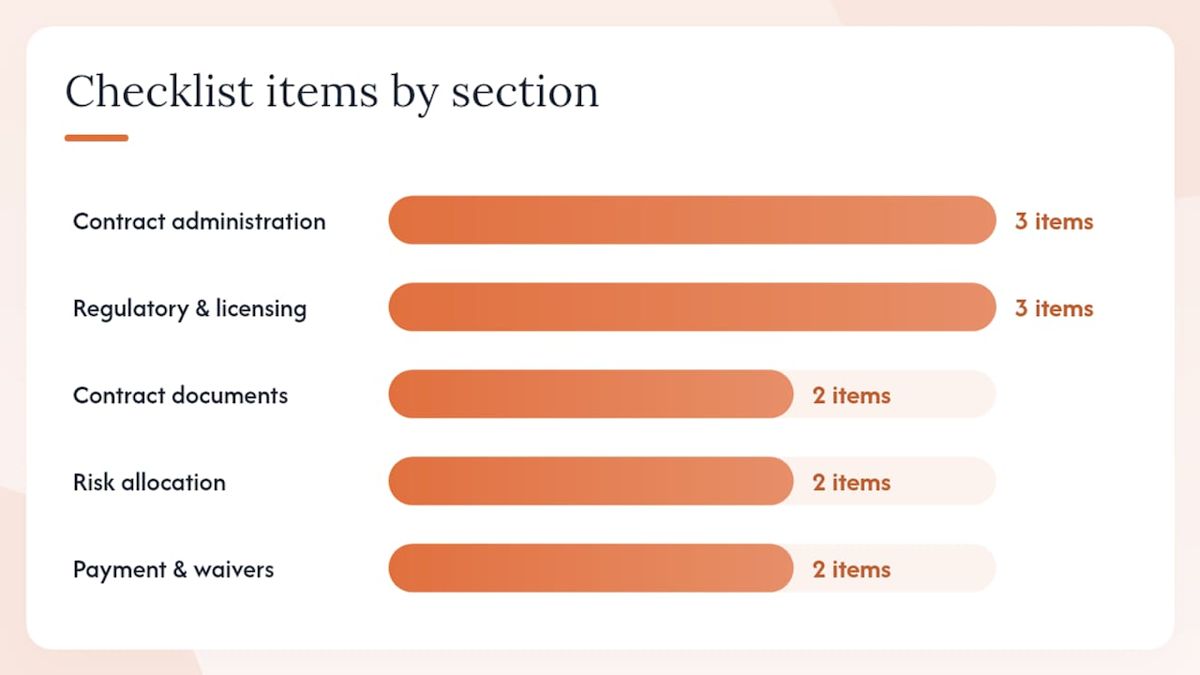
Copy this into your project-management system or a spreadsheet. Add a status column and an owner column.
Contract documents
- Are all contract documents listed, signed, and dated? (Owner: Contract administrator. Action: Confirm execution page, file originals.)
- Is the order of precedence stated? (Owner: Contract administrator. Action: Note controlling document in register.)
Contract administration
- Are all notice clauses extracted with deadlines and recipients? (Owner: Contract administrator. Action: Build notice register on day one, set calendar alerts.)
- Are change-order procedures documented and communicated to site? (Owner: Project manager. Action: Distribute procedure memo to site team.)
- Are milestone dates and liquidated-damages rates logged? (Owner: Project manager. Action: Enter in schedule, flag 30-day warnings.)
Risk allocation
- Are indemnity clauses mutual or one-sided? (Owner: Legal/contract administrator. Action: Flag one-sided clauses for negotiation before execution.)
- Is there a cap on liability? (Owner: Legal. Action: Confirm cap covers realistic exposure.)
Regulatory and licensing
- Are all licenses current and valid in the project state? (Owner: Project manager. Action: Copy licenses to project file, set renewal alerts.)
- Are OSHA safety plans and required postings in place? (Owner: Site supervisor. Action: Verify at mobilization and at each phase start.)
- Are insurance certificates on file with correct limits and additional insureds? (Owner: Project manager/finance. Action: Verify at execution and each renewal.)
Subcontractor controls
- Do subcontracts include flow-down clauses matching prime contract obligations? (Owner: Contract administrator. Action: Compare notice, payment, and safety clauses side by side.)
- Are subcontractor licenses and insurance verified? (Owner: Project manager. Action: Collect before mobilization.)
Payment and waivers
- Are conditional lien waivers collected before each progress payment? (Owner: Finance. Action: Match waiver amounts to payment certificates before releasing funds.)
- Are final unconditional waivers collected at project closeout? (Owner: Finance/contract administrator. Action: File originals; do not release retention without them.)
Completion and handover
- Are performance-test criteria defined and agreed? (Owner: Contract administrator. Action: Confirm test protocol in writing before substantial completion.)
- Is the punch-list process documented with a deadline for completion? (Owner: Project manager. Action: Issue written punch list; set owner and deadline for each item.)
How do lien waivers fit into your compliance checklist?
Lien waivers are a payment-control item. They link financial compliance to your contract obligations and belong in both your progress-payment checks and your closeout checklist.
The practical steps:
- Require a conditional progress waiver from each subcontractor and supplier before releasing each progress payment. A conditional waiver releases lien rights only upon actual receipt of the stated payment amount, so it protects you if a check is lost or a payment is disputed. Learn more about waiver types and when to use them.
- Verify that the dollar amount on the waiver matches the payment certificate exactly.
- Confirm the “through” date covers the correct billing period.
- Collect a final unconditional waiver at closeout before releasing retention.
- Preserve originals in the project file. Digital copies are useful; originals are what matter in a dispute.
Managing waivers manually across a dozen subcontractors is where payment verification breaks down. Waiverpilotpro’s payment tracking guide explains how auto-calculated balances and multi-subcontractor support reduce the administrative load and produce notarizable, state-specific documents ready for submission.
Pro Tip: Use a tool that auto-fills waiver fields from your contract and payment data. Manually typed amounts are where errors creep in. A single transposed digit on a waiver can create a dispute that takes longer to resolve than the original payment.
Which tools help you run a checklist more efficiently?
The right software does not replace judgment, but it removes the friction that causes teams to skip steps.
Look for these features when evaluating tools:
- Integrations: Connection to Procore, QuickBooks, Sage, Buildertrend, or JobTread so waiver data and payment records stay in sync. Waiverpilotpro’s Procore integration is a practical example of how waiver generation can sit inside your existing project-management workflow rather than running as a separate process.
The goal is a single source of truth: one place where notices, waivers, insurance certificates, and payment records are tracked together.
Key Takeaways
A contract compliance checklist is most effective when it converts contract obligations into live, assigned registers reviewed at every project milestone, not filed away after contract execution.
| Point | Details |
|---|---|
| Checklist follows legal review | Use the checklist after a qualified contract review; it finds gaps, it does not replace counsel. |
| Notice discipline protects entitlement | Extract all notice clauses on day one, assign owners, and set deadline alerts to avoid losing valid claims. |
| Regulatory checks are non-negotiable | Include OSHA safety plans, license verification, and insurance certificates in every U.S. project checklist. |
| Lien waivers belong in payment checks | Collect conditional waivers before each progress payment and final unconditional waivers at closeout. |
| Waiverpilotpro speeds waiver compliance | Auto-fill, state-specific templates, and integrations with Procore and QuickBooks reduce waiver admin and errors. |
Why documentation and payment controls deserve more attention than they get
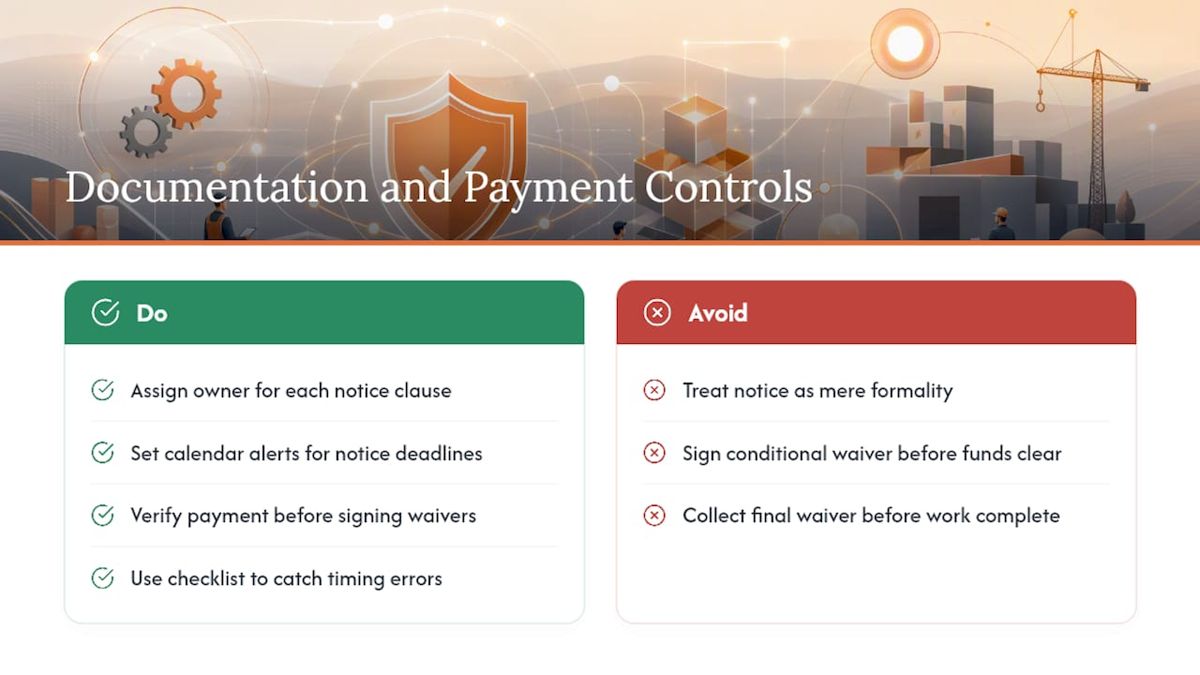
Most compliance conversations in construction focus on safety and permits. Those matter. But the compliance failures that quietly cost contractors the most money tend to happen in two places: notice provisions and payment verification.
Notice clauses are written to be strict. That is not an accident. When a contract requires written notice within 28 days of a delay event, the clock starts the day you become aware of the event, not the day you decide to pursue a claim. Teams that treat notice as a formality to handle later often discover, months into a dispute, that their entitlement evaporated on a Tuesday in March when no one sent a letter.
Payment verification has a similar pattern. Waivers get signed quickly because everyone wants to keep the job moving. But a conditional waiver signed before payment clears, or a final waiver collected before all work is complete, can waive rights that cannot be recovered. The checklist is the mechanism that slows the process down just enough to catch those moments.
The practical answer is not more paperwork. It is better tooling and clearer ownership. When every notice clause has a named owner and a calendar alert, and every waiver is generated from verified payment data rather than typed manually, the compliance rate goes up without adding hours to anyone’s week.
Waiverpilotpro cuts the admin out of waiver compliance
Generating lien waivers manually, one subcontractor at a time, is the part of payment verification that most teams dread. Waiverpilotpro removes that friction. You fill in the project details once, and the platform generates professional, notarizable conditional or unconditional waivers with auto-calculated balances, state-specific language, and support for multiple subcontractors in a single session.
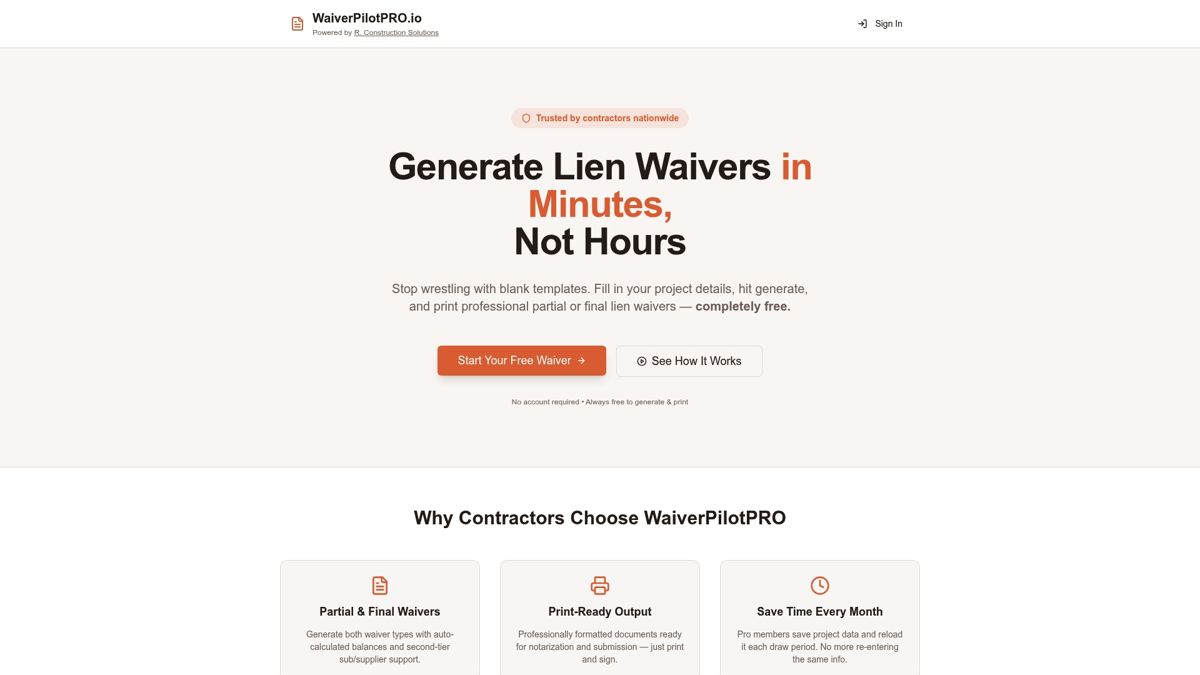
No account creation required to get started. The free tier covers unlimited basic waiver generation, and the Pro tier adds contract uploads, AI-powered field auto-fill, project saving, and direct integrations with Procore, QuickBooks, Sage, Buildertrend, and JobTread. That means your waiver data stays aligned with your payment certificates without manual re-entry.
If your checklist includes a payment verification step, and it should, generate your first lien waiver free and see how much time the automation saves on your next pay application.
Useful sources and references
These are the primary resources used to build this guide. Each is worth bookmarking for your own contract review process.
- Construction contracts checklist (World Bank PPP)
- CBIZ — Construction compliance guidance
- Construction Maintenance Checklist: A Practical Guide for Owners and Contractors (Duane Morris Construction Law)
- Contract review checklist and guidance (Berkley Construction Professional)
- Contract analysis in construction: Guide for project managers and owners (Mastt)
- Contract Review Checklist for Construction Projects (Perfomir)
- We Told You About It — The Notification Trap (IAX.digital)