
Texas Contractors: 4 Statutory Lien Waivers That Protect Your Rights
Texas requires four statutory lien waiver forms under Property Code §53.284, and using the wrong one, or editing the boilerplate language, can make the waiver unenforceable. The most important compliance step is matching the form to your actual payment status: conditional forms if payment hasn’t cleared, unconditional forms once it has. Notarization is no longer legally required, but many lenders still expect it.
TL;DR:
- Using the correct statutory form is essential, with four specific lien waiver types aligned to payment status and project stage.
- Notarization is no longer required for waivers signed after January 1, 2022, but many firms still prefer notarized documents to avoid delays.
- Signing an unconditional waiver before payment clears or if the amount mismatches can risk losing lien rights or cause enforceability issues.
- Minor deviations from the exact language of the forms are acceptable, but rewriting or omitting required elements invalidates compliance.
- Properly documenting and timely signing waivers, along with proof of payment, helps prevent liens and maintains legal protections.
Table of Contents
- What Is a Texas Lien Waiver, and Which Statutory Form Applies?
- Notarization and HB 2237: What Changed and What to Do Now
- Conditional or Unconditional: How to Pick the Right One
- How to Fill Out the Statutory Forms Without Making It Worse
- The Mistakes That Quietly Void a Waiver
- Waivers, Lien Deadlines, and Retainage: The Timing Trap
- A Practical Checklist Worth Repeating on Every Project
- Generate Texas-Compliant Waivers Without the Guesswork
- Sources
What Is a Texas Lien Waiver, and Which Statutory Form Applies?
A lien waiver is a receipt that also surrenders a powerful legal remedy. When you sign one, you’re not just acknowledging payment. You’re giving up your right to file a mechanic’s lien against the property for the amount covered. That’s why Texas law doesn’t let you write your own version. Section 53.284 of the Property Code prescribes four specific forms, and courts expect “substantial compliance” with that exact statutory language before a waiver holds up.
Here’s what each form does and when you’d actually use it:
- Conditional Waiver and Release on Progress Payment: Sign this when you expect payment but haven’t received it yet. It only takes effect once the check clears or funds hit your account, so it protects you if the payment falls through.
- Unconditional Waiver and Release on Progress Payment: Use this only after you’ve confirmed payment has actually been received. It waives your lien rights immediately upon signing, with no conditions attached.
- Conditional Waiver and Release on Final Payment: This closes out the project. Like its progress-payment counterpart, it doesn’t take effect until the final payment clears.
- Unconditional Waiver and Release on Final Payment: The last document in the chain. Once you sign this after confirming final payment, you have no further lien rights on that project.
“Substantial compliance” doesn’t mean word-for-word perfection, but it does mean you can’t rewrite the operative language or omit required elements. Minor formatting differences are fine. Changing what the waiver actually says is not.
Notarization and HB 2237: What Changed and What to Do Now

For years, Texas required notarization on these statutory forms. That changed with HB 2237, which repealed the notarization mandate for original contracts entered into on or after January 1, 2022. Legally, you can now sign and exchange a valid waiver without a notary anywhere near it.
In practice, plenty of title companies, lenders, and even some general contractors haven’t caught up. Here’s what that means for your paperwork:
- The statute no longer requires notarization on §53.284 waivers signed under contracts from 2022 onward.
- Notarization can still matter if a document needs to be recorded or if a lender’s internal policy demands it.
- Many firms continue notarizing anyway, since it avoids payment delays when a lender balks at an unnotarized form, according to Peckar & Abramson’s analysis of the law change.
Pro Tip: Default to notarizing final waivers on larger commercial projects even though it’s not required. It costs you a few minutes and headaches down the line when a lender’s file reviewer flags an unnotarized document.
Conditional or Unconditional: How to Pick the Right One
The decision rule is simpler than it looks: conditional waivers are for payments you expect but haven’t banked; unconditional waivers are for payments already sitting in your account. Signing the wrong one is one of the fastest ways to lose leverage on a project.
Walk through it this way before you sign anything:
- Has the payment actually cleared? If no, sign conditional. If yes, confirm the amount matches before moving to unconditional.
- Is this a progress payment or the final payment on the contract? That determines which of the four forms applies, not just conditional versus unconditional.
- Does the payment include retainage? If retainage is still being held back, a progress payment waiver shouldn’t release your claim to those retained funds.
- Who’s requesting the waiver, and why now? A general contractor asking for a waiver before releasing a check is standard. Being asked to sign unconditional before funds move is a red flag.
A subcontractor getting paid on a monthly draw typically exchanges a conditional progress waiver for the check itself, confirms the funds clear, and moves to the next cycle, following best practices outlined in The Role of Licensed Contractors: What You Need to Know. On the final payment, that same subcontractor should hold off on an unconditional final waiver until every dollar, including retainage, is actually in hand. For a deeper breakdown of how these two categories diverge, WaiverPilotPRO’s comparison guide walks through more scenarios.
How to Fill Out the Statutory Forms Without Making It Worse
Filling out these forms correctly isn’t complicated, but it’s easy to get sloppy when you’re processing a dozen pay applications in an afternoon. Follow this order every time:
- Enter the claimant’s legal name exactly as it appears on the contract. A slight mismatch, like using a DBA instead of the registered entity name, can create disputes later.
- Add the project description and address, then specify the period covered. This ties the waiver to a specific billing cycle instead of leaving it open to interpretation.
- Match the dollar amount to the pay application or check precisely. If the numbers don’t line up, the waiver doesn’t reflect what actually happened.
- Sign and date it, then exchange the conditional waiver alongside the payment itself, not before and not days after.
- Keep a copy of the signed waiver with the corresponding pay application and proof of payment.
Never touch the statutory boilerplate. Fill in the blanks; leave the legal language alone. LegalClarity’s breakdown of common form errors points out that even well-meaning edits, like adding extra conditions or removing a clause that seems redundant, can jeopardize enforceability.
Pro Tip: Build a simple naming convention for your saved waivers, something like ProjectName_Date_PayApp#. When a dispute surfaces eight months later, you want to find the right document in ten seconds, not ten minutes.
The Mistakes That Quietly Void a Waiver
Most waiver problems trace back to a handful of avoidable habits. Watch for these before you sign or accept anything:
- Rewriting statutory language instead of just filling in blanks.
- Letting the claimant name drift from what’s on the actual contract.
- Mismatched dollar amounts between the waiver and the pay application or check.
- Gaps or overlaps in the dates covered from one waiver to the next.
- Signing an unconditional waiver before the funds have actually cleared your account.
- Failing to keep proof of payment alongside the signed waiver.
Treat a lien waiver like a legal document rather than routine paperwork. A two-minute review before you sign is far cheaper than untangling a dispute over unenforceable language months later.
Waivers, Lien Deadlines, and Retainage: The Timing Trap
A conditional waiver only releases your rights once payment actually happens. If a check bounces or a payment never arrives, your lien rights are still intact, but your filing deadline hasn’t moved. Chapter 53 of the Property Code sets those deadlines independent of whatever waivers you’ve exchanged along the way.
Retainage adds another layer. Progress waivers typically cover only the amount paid in that billing cycle, so retained funds carry forward until the final waiver accounts for them.
- If payment on a progress waiver never clears, you may still need to file a lien affidavit before your statutory deadline expires, regardless of the conditional waiver you signed.
- Retainage isn’t released by a progress waiver. It stays outstanding until the final waiver reflects the full, final payment.
- Set a calendar reminder the day you issue any conditional waiver, tied to your state’s lien filing window, so a stalled payment doesn’t quietly cost you your remedy.
A Practical Checklist Worth Repeating on Every Project
On any given pay application, verify the invoice against the contract, confirm the payer, prepare the conditional waiver, and exchange it alongside the actual payment, never before. Notarize final waivers by default even where the law no longer demands it, since it heads off lender friction. Keep every signed waiver filed with its matching proof of payment, and communicate payment status clearly with your GC or sub before signing anything unconditional.
— Rowena
Generate Texas-Compliant Waivers Without the Guesswork
Getting these four statutory forms right by hand, especially across a dozen subcontractors on an active job, is where most compliance mistakes creep in. WaiverPilotPRO gives Texas contractors a free way to generate all four §53.284 forms with the correct boilerplate locked in, so you’re filling in fields instead of retyping legal language from scratch.
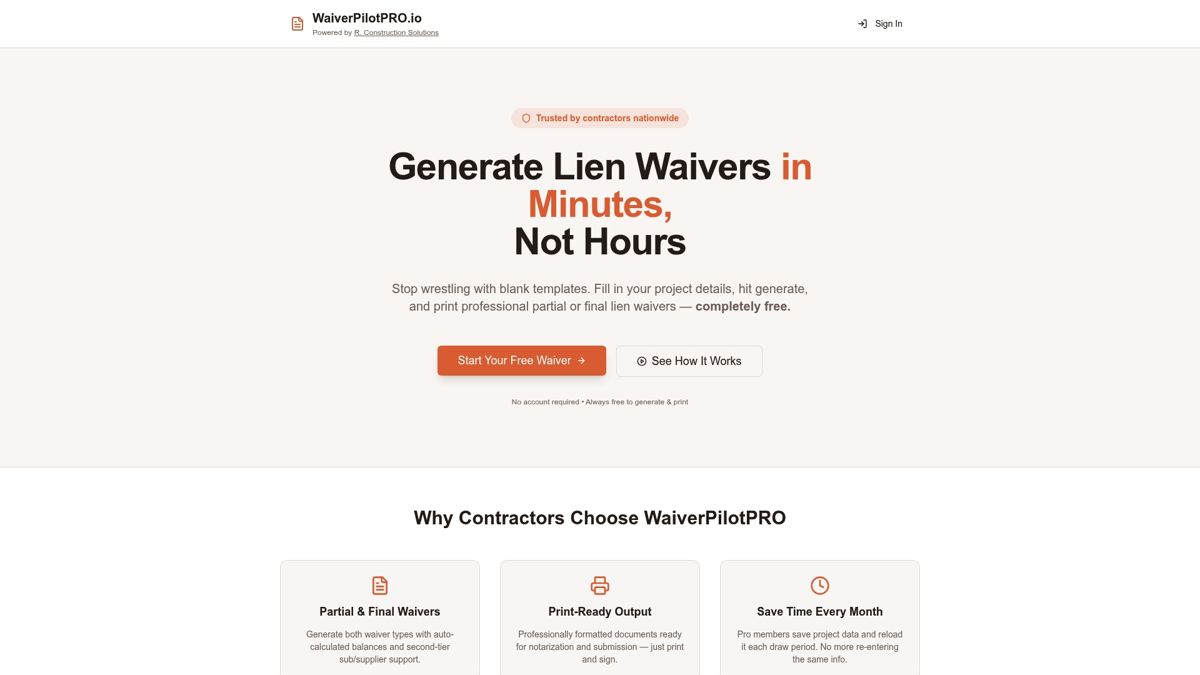
The platform auto-calculates payment balances, supports multiple subcontractors on a single project, and outputs notarizable PDF or Word documents ready to sign and send. If your team already runs pay applications through Procore or QuickBooks, WaiverPilotPRO’s integrations pull project data directly into the waiver, cutting out duplicate entry. Start with the free lien waiver generator for your next pay application, or check the Texas-specific requirements page to confirm you’re using the right form before you send it out.
Sources
- Justia: Texas Property Code §53.284 — Forms for Waiver and Release of Lien or Payment Bond Claim
- Texas Legislature: HB 2237 enrolled version (amendments to Chapter 53)
- LegalClarity: Texas lien waiver forms — types, rules, and mistakes
- Texas statutes: Chapter 53 (Mechanic’s Liens)