
Freelance Construction Admin Burden Explained for U.S. Crews
The freelance construction admin burden is largely an avoidable workflow problem: inconsistent, manual lien-waiver collection and scattered approval routes cost small crews hours every billing cycle and push payments back by days or weeks. The fix is not complicated. Centralize your waiver requests, map your state’s required forms, and use simple automation to stop chasing signatures by phone.
Here is what the research confirms: TimeCraft Advisory frames administrative fragmentation as a strategic liability, not just overhead. Built Intelligence shows that reactive, memory-dependent workflows are the root cause of tense, inefficient contract administration. And Waiverpilotpro exists specifically to remove that friction for U.S. contractors.
The short version:
- Lien-waiver fragmentation is the single highest-impact admin problem for freelance and subcontractor teams.
- Manual collection delays progress payments and creates legal exposure.
- Centralized templates, state-form mapping, and automated follow-ups solve most of it.
Table of Contents
- What does the freelance construction admin burden actually look like?
- Why lien waivers cause so much admin friction
- U.S. legal cautions every contractor should know
- Failure modes that routinely cost time and cash
- A practical workflow to cut waiver collection time
- Which tools actually reduce repetitive waiver work?
- 30/60/90-day plan to get your waiver workflow under control
- When a waiver request needs legal review
- Key Takeaways
- What actually changes when your waiver workflow works
- Waiverpilotpro cuts the paper chase without the complexity
- Sources and further reading
What does the freelance construction admin burden actually look like?
For a small crew or solo contractor, administrative burden means the hours you spend on paperwork that does not move the project forward: chasing signatures, reformatting templates, hunting for a waiver you sent three weeks ago, and re-explaining pay-app requirements to every new GC.
Common tasks that pile up every billing cycle:
- Pay-application lien waivers (conditional and unconditional, partial and final)
- Certificates of insurance requests and renewals
- Change-order documentation and approval routing
- Invoicing and payment reconciliation
- Closeout paperwork and final waiver packages
Scale that to a project with 10 subcontractors. Each billing cycle generates at least 10 waiver requests, 10 follow-ups, and 10 validation checks. One missing signature holds the entire pay app.
Construction professionals can spend up to 35% of work hours on non-productive administrative tasks, according to FM Business Daily. TimeCraft Advisory goes further, arguing that unaddressed admin burden erodes profit margins and the capacity to take on new work. That is the real cost: not just lost hours, but lost opportunity.

Pro Tip: Track how many hours your team spends on waiver collection in a single billing cycle. Most small teams are surprised by the number. That baseline makes the ROI of any fix immediately obvious.
Why lien waivers cause so much admin friction
A lien waiver is a document where a contractor or supplier gives up the right to file a mechanic’s lien against a property, in exchange for payment. Think of it as a receipt that also surrenders a powerful legal remedy. Getting the type and timing wrong creates real problems.
There are four types you need to know:
- Conditional partial waiver: Signed when you submit a progress payment request. Lien rights release only if the payment actually clears. Safest for contractors to sign.
- Unconditional partial waiver: Signed after payment has cleared. Permanently releases lien rights for that amount. Never sign this before funds are confirmed.
- Conditional final waiver: Signed with your final payment request, conditional on that payment clearing.
- Unconditional final waiver: Signed after final payment clears. Releases all remaining lien rights on the project.
Where things go wrong:
- A GC requests an unconditional partial waiver before issuing payment. You sign it. The check is delayed. You have now released your lien rights with nothing in hand.
- You return a conditional waiver covering $42,000, but the pay app is for $44,000. The $2,000 gap is unreleased and can still trigger a lien dispute.
- You use a generic template in California, which mandates a specific statutory form. The waiver is unenforceable.
Conditional waivers protect you. They are the right choice at billing time because payment has not yet cleared. Unconditional waivers are appropriate only after funds post. Using them in the wrong order is one of the most common and costly mistakes in freelance construction management.
U.S. legal cautions every contractor should know
The core principle is proportionality. A lien waiver should cover only the payment being made, nothing more. Demanding a waiver that covers all future work in exchange for a single progress payment is typically unenforceable under state law, but that does not stop GCs from asking.
A waiver that strips rights beyond the scope of the payment being made is often unenforceable under state lien statutes — but you may still spend time and money fighting it. The safer move is to refuse to sign and request a corrected form before any payment changes hands.
Red flags that should stop you from signing:
- The waiver covers work periods or dollar amounts beyond the current pay app.
- You are asked to sign an unconditional waiver before payment has cleared.
- The form does not match your state’s statutory requirement. Twelve states, including California, Texas, and Arizona, mandate specific statutory forms; a generic form in those states can void the waiver entirely.
- The waiver includes third-party indemnity language unrelated to the payment.
When language in a waiver request strips rights beyond the payment, or when your state requires a statutory form you do not recognize, consult a construction-focused attorney before signing. A brief legal review costs far less than litigating a disputed lien.
Failure modes that routinely cost time and cash
Most admin losses come from the same repeatable mistakes. Recognizing them is the first step to fixing them.
- Inbox-only tracking: Waivers managed through email threads get lost, duplicated, or returned unsigned without anyone noticing until the pay app is due.
- Wrong waiver type returned: A sub sends an unconditional waiver when you needed a conditional one. You miss it. The GC rejects the pay app.
- Missing notarization: Some states and some GCs require notarized waivers. A waiver returned without a notary stamp gets kicked back, adding days to the cycle.
- Amount mismatches: The waiver dollar amount does not match the pay app. Even a small discrepancy can hold an entire payment.
- Lost historical waivers at closeout: No centralized archive means scrambling to reconstruct a waiver package at project end, sometimes delaying final retainage release by weeks.
Missing or late waivers are the most frequent cause of held progress payments, according to US Tech Automations, which documents an automation workflow that reduces billing-cycle delay by 8–12 days for GCs managing 10 or more subcontractors. For a small team billing monthly, that is the difference between making payroll on time and floating it.
A practical workflow to cut waiver collection time
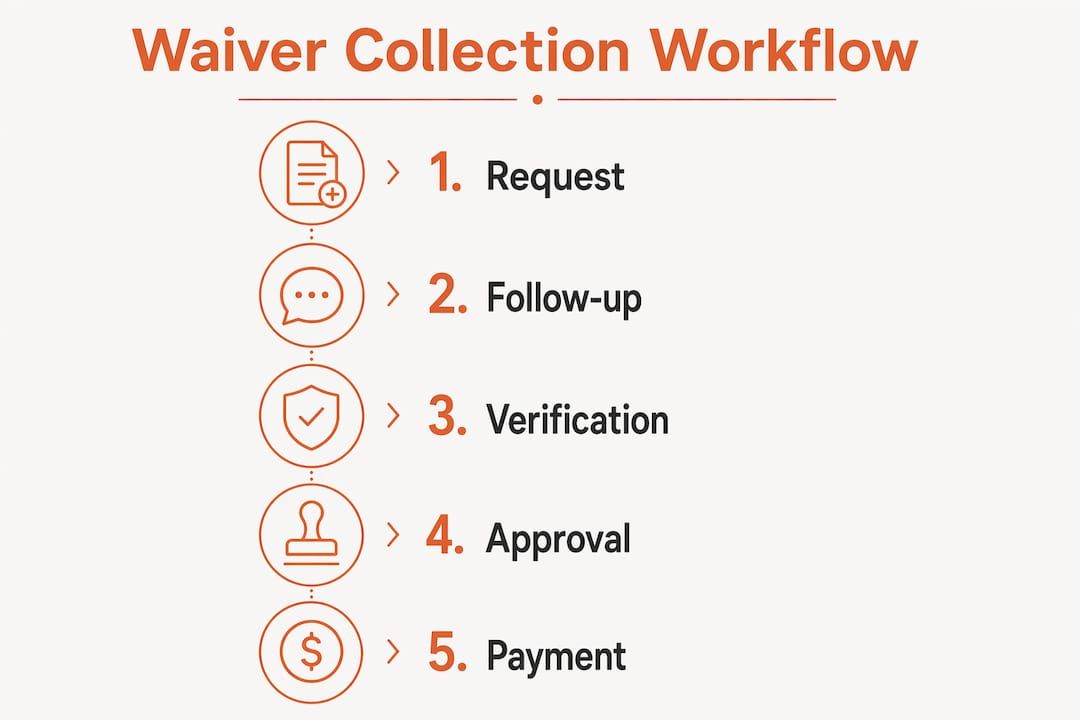
A structured, repeatable process removes most of the friction. Here is a sequence that works for a single billing cycle:
- Pre-billing setup: Pull commitment data (subcontractor names, contract amounts, retention terms). Map required waiver types and confirm your state’s statutory form requirements.
- Generate requests: Auto-fill waiver requests with pre-populated amounts and the correct form type. Send with a clear deadline, at least five business days before the pay-app due date.
- Track centrally: Maintain one status tracker, not an email thread. Every sub’s response status should be visible at a glance.
- Automated follow-up: Send a reminder to non-responders at 48 hours and again at 24 hours before the deadline.
- Validate on return: Check waiver type, dollar amount, signature, and state form compliance before marking it complete. Flag any exceptions immediately.
- Compile the package: Assemble validated waivers into a single PDF attachment for the pay app. This is the orchestration model US Tech Automations recommends for reducing variation between billing cycles.
Ownership matters too. The field foreperson confirms work completion and amounts. The project accountant generates and validates waivers. The PM reviews exceptions and escalates anything that could hold the pay app.
Pro Tip: Use conditional waivers at every billing cycle. Reserve unconditional waivers for after funds have posted and cleared. That single rule eliminates the most common legal exposure in waiver management.
Which tools actually reduce repetitive waiver work?
The right tool depends on where you are in your workflow maturity. Here is how common platforms fit together:
- Procore: Manages document and pay-app attachment. Waiver packages can attach directly to pay-app records, keeping everything in one place.
- QuickBooks: Handles payment reconciliation. Connecting waiver status to payment records prevents unconditional waivers from going out before funds clear.
- Buildertrend and JobTread: Store project and subcontractor data. Exporting that data into a waiver generator pre-fills amounts and reduces manual entry errors.
Features worth prioritizing when evaluating any waiver tool:
- Auto-fill from commitment or contract data
- Conditional and final waiver templates in one place
- Validation checks for amount, type, and state form
- Bulk request sending and automated follow-ups
- Audit-ready, notarizable PDF output
| Feature | Time saved per month | Integration support | Multi-sub support | Conditional vs. final waivers | Notarizable output | Free tier |
|---|---|---|---|---|---|---|
| Auto-fill from commitments | High | Procore, QuickBooks | Yes | Both | Yes | Varies |
| Bulk request + follow-up | High | Procore, QuickBooks, Buildertrend, JobTread | Yes | Both | Yes | Varies |
| Validation checks | Medium | Procore, QuickBooks | Yes | Both | Yes | Varies |
| Manual templates only | Low | None | Limited | Partial | No | Yes |
For freelancers just starting out, a CSV import or a free waiver generator is the right entry point. Full integration with Procore or QuickBooks comes later, once the workflow is stable.
30/60/90-day plan to get your waiver workflow under control
Days 1–30: Audit and set up
- Inventory every waiver template you currently use. Identify which states you work in and confirm statutory form requirements for each.
- Trial a free waiver generator or CSV import on one active project.
- Train one person on the new process before rolling it out to the team.
Days 31–60: Automate and validate
- Automate waiver requests for every billing cycle. Set a follow-up cadence (48-hour and 24-hour reminders).
- Validate returned waivers against commitment amounts before attaching to pay apps.
- Start building a project-level waiver archive.
Days 61–90: Integrate and measure
- Connect your waiver workflow to your accounting or PM tool (Procore, QuickBooks, Buildertrend, or JobTread).
- Measure time saved per billing cycle versus your baseline.
- Formalize the closeout process so final waiver packages are ready before the last pay app goes out.
| Phase | Key action | Expected outcome |
|---|---|---|
| Days 1–30 | Audit templates, map state forms, trial a generator | Baseline established, one project running cleanly |
| Days 31–60 | Automate requests and follow-ups, validate amounts | Billing-cycle delays reduced, fewer rejected pay apps |
| Days 61–90 | Integrate with PM/accounting tool, measure time saved | Up to 35% of work hours recovered as productive time, with faster cash conversion |
Conservative estimates from FM Business Daily’s research suggest that automation can recover up to 35% of administrative work hours, translating to meaningful labor cost savings and improved cash conversion for small portfolios.
When a waiver request needs legal review
Not every waiver question needs a lawyer. But some do. Use this checklist to decide.
Escalate to legal review when:
- The waiver form does not match your state’s statutory requirement.
- The scope covers work periods or amounts beyond the current payment.
- The waiver includes indemnity language tied to third-party claims.
- You are being asked to sign an unconditional waiver before payment has cleared.
- The GC or owner refuses to provide a corrected form after you flag the issue.
If you need to pause while arranging review, use a response like this:
- Acknowledge receipt of the waiver request in writing.
- State that you are reviewing the language with counsel before signing.
- Confirm you remain ready to sign a proportional, correctly typed waiver upon review.
- Request the GC’s preferred contact for any form corrections.
For legal help, look for construction-focused counsel in your state, or check whether your local AGC chapter offers a pro bono clinic. Bring the waiver, the pay-app amount, and your contract when you go. That preparation cuts review time significantly.
Key Takeaways
Lien-waiver fragmentation is the single highest-impact admin fix for freelance construction teams: centralize requests, use conditional waivers at billing, and validate amounts before every pay app goes out.
| Point | Details |
|---|---|
| Conditional waivers at billing | Always use conditional waivers when submitting a pay app; sign unconditional only after funds clear. |
| State form compliance | Twelve states require statutory lien waiver forms; a generic template in those states can void the waiver. |
| Automation cuts delays | Automated follow-ups and validation can reduce billing-cycle delays for teams with multiple subcontractors. |
| 30/60/90 rollout | Audit templates in month one, automate in month two, integrate and measure in month three. |
| Waiverpilotpro | Generates conditional and final waivers for free, with auto-fill, bulk requests, and notarizable PDF output. |
What actually changes when your waiver workflow works
The conventional wisdom says automation is about saving time. That is true, but it undersells the real benefit. The bigger shift is behavioral: when waiver collection runs on a defined process, your team stops reacting and starts planning.
Before a structured workflow, a billing week means phone calls, re-sent emails, and a project accountant manually cross-referencing amounts against a spreadsheet. One missing waiver from a lower-tier sub holds the entire pay app. The GC calls. You call the sub. The sub calls their supplier. Days pass.
After the workflow is in place, exceptions are rare and visible. Non-responders get an automated reminder before anyone has to pick up the phone. Amounts are validated against commitment data, not eyeballed. The pay-app package goes out complete. That predictability matters more than the hours saved, because it makes cash flow plannable. Small teams that know when money is coming in make better hiring decisions, take on better projects, and stop carrying unnecessary float.
The crews that benefit most are not the ones with the most complex projects. They are the ones that commit to a repeatable process on a single project first, see the difference, and then apply it everywhere.
Waiverpilotpro cuts the paper chase without the complexity
Every workflow step described in this article maps directly to what Waiverpilotpro does, and you can start for free. Generate conditional and final lien waivers in minutes by filling in your project details. No account creation required, no complex templates to manage.
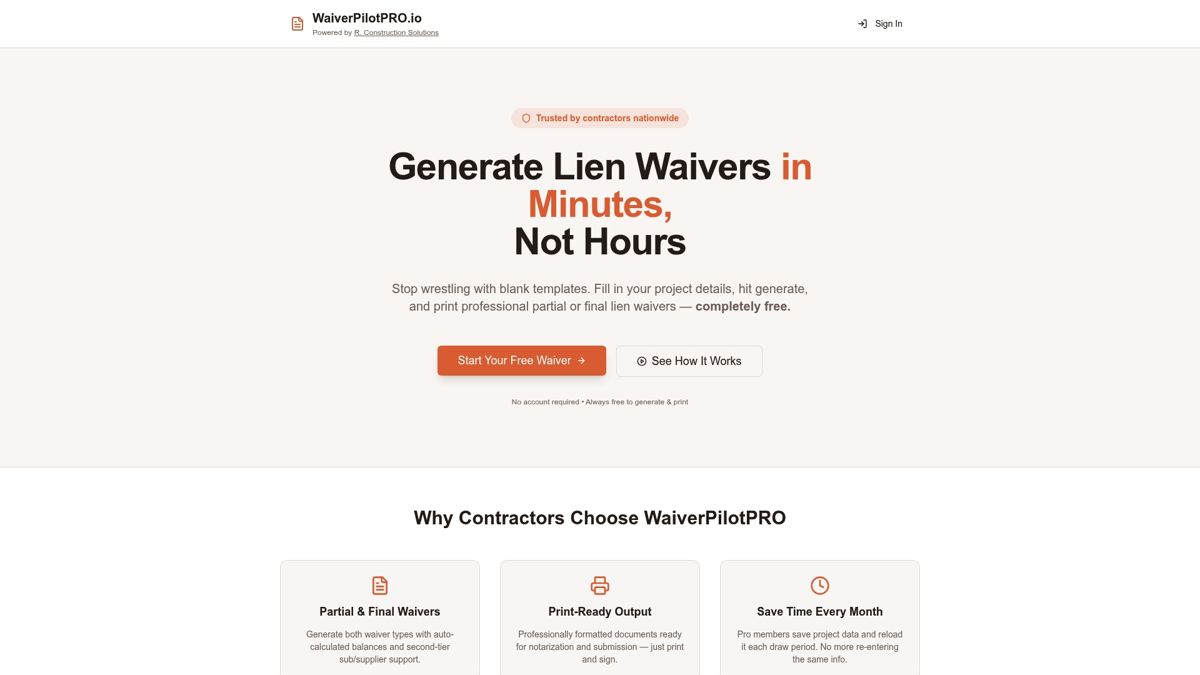
Waiverpilotpro supports data import from Procore, QuickBooks, Buildertrend, and JobTread, so your commitment amounts pre-fill automatically and amount errors disappear. Bulk requests go out to multiple subcontractors at once. Every document produced is a professional-grade, notarizable PDF ready for pay-app submission. For state-specific requirements, Waiverpilotpro’s guides cover statutory forms for states like California and others, so you always use the right form.
Try the free lien waiver generator on your next billing cycle and see how much time you recover before committing to anything further.
Sources and further reading
- TimeCraft Advisory — How to Master Contractor Admin Burden: Best starting point for understanding admin burden as a strategic business problem, not just a paperwork complaint.
- Built Intelligence — Why Contract Management Feels Harder Than It Should: Practical framing for moving from reactive to repeatable contract administration.
- LegalClarity — What Are Lien Waivers: Types, Risks and Requirements: Go here for legal questions about proportionality, enforceability, and waiver scope.
- GetBuilt — Lien Waiver Automation: Covers state-specific statutory form requirements and automation ROI.
- US Tech Automations — How to Chase Lien Waivers Before Progress Payments: Operational playbook for automated orchestration and billing-cycle delay reduction.
- FM Business Daily — The Importance of Leveraging Technology to Reduce Wasted Administration Time: Research-backed data on admin hours lost and technology’s impact.
- Kiron — Lien Waiver in Construction: Types, When to Require Them, and How to Track Them: Comprehensive reference for waiver types, state rules, and tracking best practices.
- MDPI — Construction Contract Administration Performance Assessment: Academic review of how poor contract administration causes delays and rework; useful for KPI and workflow design.