Construction Document Templates Checklist for Contractors
Use this construction document templates checklist to generate, issue, and track lien waivers correctly: submit a conditional waiver with every pay application, verify that funds have cleared, then issue the unconditional waiver only after your bank confirms payment. That sequence is the single most effective payment-risk control available to contractors and project managers.
Field TL;DR:
- Submit a conditional waiver with every pay application before funds arrive.
- Verify cleared payment through bank confirmation, cleared ACH, or cleared check.
- Issue the unconditional waiver only after accounting confirms funds are in your account.
Get editable PDF and Word templates, including AIA G901/G902-family-aligned forms, at Waiverpilotpro’s free construction forms library. No account required to generate your first waiver.
Table of Contents
- What’s included in the template bundle and how to use each file
- How to choose the right waiver type for each pay cycle
- Step-by-step checklist for filling and issuing lien waivers
- How to build a single-source-of-truth document workflow
- What to include in subcontracts to protect final payment
- Records retention, notarization, and state compliance
- Key Takeaways
- Why these templates were built the way they were
- Waiverpilotpro’s free generator cuts waiver admin to minutes
- Useful sources to verify legal details and state requirements
What’s included in the template bundle and how to use each file
Your building document templates package covers every waiver type you’ll encounter in a standard US pay cycle:
- Conditional progress (partial) waiver — PDF and Word; submit with each pay application.
- Unconditional progress (partial) waiver — issue after partial payment clears.
- Conditional final waiver — submit with your final pay application.
- Unconditional final waiver — release only after final payment is verified.
- Sample filled partial waiver — a completed example showing correct field entries for a mid-project pay app.
- Metadata naming template — a simple spreadsheet to track file names, revision numbers, and submission dates.
A filled partial waiver looks like this: the property address and legal description appear at the top, the “through date” matches the pay-app period, the dollar amount matches the invoice exactly, and the signature block is dated the same day you submit. Nothing is left blank.
Use a standard waiver template in states that do not mandate a specific form. Keeping one clean master file means you fill only a few fields each cycle, which cuts errors and speeds processing. CFMA guidance recommends this approach for states without prescribed forms.
For format choice: use PDF when you need a locked, signable document for submission. Use Word when you need to customize language for a specific state or owner requirement. Use Excel for batch generation across multiple subcontractors on the same pay cycle.
State-specific note: California, Texas, Arizona, and several other states require statutory language or prescribed forms. Check the included state checklist before issuing any waiver. When in doubt, verify with your state contractor board or a construction attorney.

How to choose the right waiver type for each pay cycle
A conditional waiver protects your lien rights until payment actually clears; an unconditional waiver surrenders those rights the moment you sign it. That one-sentence distinction is the foundation of every payment-risk decision you make on a job.
Partial (progress) vs. final waivers:
- A partial waiver covers work completed through a specific date or pay-app period. It does not release rights for future work.
- A final waiver releases all claims for the entire project. Sign it only when you have received every dollar owed, including retainage.
Decision rules:
- Payment not yet received or not confirmed cleared → use a conditional waiver.
- Funds confirmed cleared in your account → use an unconditional waiver.
- Mid-project pay app → partial waiver (conditional until funds clear, then unconditional).
- Retainage release → partial vs. final waiver depends on whether retainage is the last payment.
Short examples:
- Pay app #4: Submit a conditional progress waiver with the pay app. Once the GC’s check clears, exchange it for an unconditional progress waiver.
- Retention release: If this is the final payment, use a conditional final waiver at submission and an unconditional final waiver after clearance.
- Subcontractor partial payment: Collect a conditional progress waiver from your sub when you pay them, then exchange for unconditional after your check clears their account.
AIA guidance aligns these practices with the G901/G902/G903/G904 form family: G901 and G903 are conditional; G902 and G904 are unconditional.
Pro Tip: Always write the invoice number or pay-app ID directly on the waiver. If any amount is disputed or unpaid, note it explicitly in the “exceptions” field. This preserves your rights on contested amounts even after you sign.
Step-by-step checklist for filling and issuing lien waivers
Follow these steps in order for every pay cycle. Skipping a step is where most payment disputes start.
- Select the correct waiver type. Conditional or unconditional? Partial or final? Use the decision rules above.
- Confirm scope and dollar amounts. Match the waiver amount exactly to the pay application or invoice. Mismatched figures are the most common rejection reason.
- Add contract and subcontract references. Include the prime contract number, subcontract number (if applicable), and project name.
- Attach the pay application or invoice. The waiver and the pay app travel together.
- Fill all required fields: property legal description, project address, claimant name, through date, payment amount, and signature block with date.
- Submit the conditional waiver with the pay application. Do not wait for payment to arrive before submitting.
- Verify cleared payment. Get bank confirmation, a cleared ACH record, or a cleared check notation. Timestamp this record.
- Issue the unconditional waiver. Only after step 7 is complete. Archive both the conditional and unconditional versions together.
A step-by-step fill guide walks through each field in detail if you need a reference for your team.
Common errors to avoid:
- Signing an unconditional waiver before funds clear — this is the most costly mistake in lien practice.
- Mismatched dollar amounts between the waiver and the pay app.
- Missing or incorrect “through date.”
- No subcontractor ID or license number when required by state law.
- Forgetting to collect waivers from your own subs and suppliers before releasing their payments.
CFMA warns that missing preliminary notice windows or using the wrong form can forfeit lien rights entirely.
How to build a single-source-of-truth document workflow
One rule covers everything: create a single source of truth with strict naming and role-based access from day one. Every version confusion, duplicate signature, and missed deadline in construction document control traces back to violating that rule.
Naming convention (ISO 19650 principles, simplified):
[ProjectCode]_[DocType]_[YYYY-MM-DD]_[Rev]
Example: OAKST22_LienWaiver_Conditional_2026-03-15_R1.pdf
Fieldwire recommends including the project identifier, discipline, document type, and revision in every filename. A consistent folder structure — contracts, waivers, pay apps, permits, closeout — makes retrieval fast for any team member.
Minimal access matrix:
| Role | Create | Approve | Sign | Archive |
|---|---|---|---|---|
| Field PM | Yes | No | Yes (own waivers) | No |
| Office Admin | Yes | No | No | Yes |
| Project Manager | Yes | Yes | Yes | Yes |
| Accounting | No | Yes | No | Yes |
For teams managing document sharing across multiple sites, a cloud-based folder with role-based permissions prevents the most common version-confusion problems.
Pro Tip: Lock every finalized, paid waiver as a read-only PDF immediately after archiving. Keep conditional waivers in a separate “pending” folder until payment clears. This one folder discipline prevents accidental issuance of unconditional forms.
What to include in subcontracts to protect final payment
Require final lien waivers and as-built records as explicit conditions for final payment. Add this language to every subcontract before work begins.
Sample subcontract clause (adapt as needed): “Final payment shall not be due until Subcontractor has delivered to Contractor: (1) an unconditional final lien waiver covering all work and materials; (2) as-built drawings reflecting all approved changes; (3) all warranties and certificates of insurance; and (4) final payment application with supporting documentation. Submission is due within [X] days of substantial completion.”
Essential closeout documents to require:
- Unconditional final lien waiver (from each sub and supplier)
- Final pay application with schedule of values
- As-built drawings
- Operation and maintenance manuals
- Warranties and guarantees
- Certificates of insurance
- Punch list sign-off
Fieldwire’s guidance recommends making closeout a continuous process and assigning a closeout coordinator from the start of the project.
Typical closeout timeline:
- Substantial completion reached → issue punch list within 5 days.
- Punch list resolved → request closeout documents from all subs within 10 days.
- Documents received and verified → release final payment within the contract payment window.
- Final payment cleared → collect unconditional final waivers from all parties.
Add a notice clause: if closeout documents are not submitted within the agreed window, the contractor may withhold a portion of final payment until delivery is complete.
Records retention, notarization, and state compliance
Keep waiver records and supporting pay-app documents for the longer of your state’s statute of repose or your company’s retention policy. For most commercial projects, that means a minimum of 10 years, though some states extend this for structural claims.
| Document Type | Typical Retention | Notes |
|---|---|---|
| Lien waivers (all types) | 10+ years | Match to statute of repose |
| Pay applications | 7–10 years | Keep with supporting invoices |
| Contracts and subcontracts | 10+ years | Include all amendments |
| Permits and licenses | Life of structure | Some jurisdictions require permanent retention |
| Change orders and RFIs | 7–10 years | Keep with pay-app records |
Notarization: Some states and owners require notarized waivers before they will record or accept them. California’s statutory forms do not require notarization, but some private owners add that requirement by contract. Texas, Michigan, and others have specific statutory forms with their own execution requirements. Always check your state’s lien statute before issuing.
CFMA outlines preliminary notice requirements in states like California, where serving a 20-day preliminary notice is a prerequisite for preserving lien rights. Missing that window can forfeit your claim entirely.
Where to verify state rules:
- Your state contractor licensing board website.
- State legislature’s published lien statutes (search “[State] mechanics lien statute”).
- American Institute of Architects (AIA) state-specific guidance pages.
- A licensed construction attorney for complex or high-value disputes.
This article is general information, not legal advice. Verify current requirements with your state’s primary sources or a qualified construction attorney before issuing waivers.
Key Takeaways
A conditional-first waiver workflow, combined with strict naming and closeout holdbacks, is the most reliable way to protect payment rights on every US construction project.
| Point | Details |
|---|---|
| Conditional waiver first | Submit a conditional waiver with every pay app; switch to unconditional only after funds clear. |
| Name every file consistently | Use [ProjectCode][DocType][Date]_[Rev] to prevent version confusion across field and office. |
| Tie final payment to closeout docs | Require final waivers, as-builts, and warranties in subcontracts before releasing the last payment. |
| Retention minimums | Keep waivers and pay-app records for at least 10 years or your state’s statute of repose, whichever is longer. |
| Waiverpilotpro for free generation | Use Waiverpilotpro’s free generator for state-specific, fillable PDF/Word waivers with auto-calculated balances. |
Why these templates were built the way they were
Most contractors don’t lose payment because they don’t know lien waivers exist. They lose it because the right form wasn’t ready at the right moment, or because someone on the team signed an unconditional waiver a day before the check cleared. Those are operational failures, not legal ones, and they’re entirely preventable with the right templates and a clear process.
Waiverpilotpro built its generator and template library specifically to close that gap. The two problems the templates solve are speed (no blank-form hunting mid-pay cycle) and version control (one source, one current form, no outdated Word files floating around in email threads). If you haven’t tested the free generator yet, it takes less than two minutes to produce a professional, notarizable waiver for any US state.
Waiverpilotpro’s free generator cuts waiver admin to minutes
Waiverpilotpro gives contractors a faster path from pay application to signed waiver, without the back-and-forth of manual templates or the risk of using an outdated form.
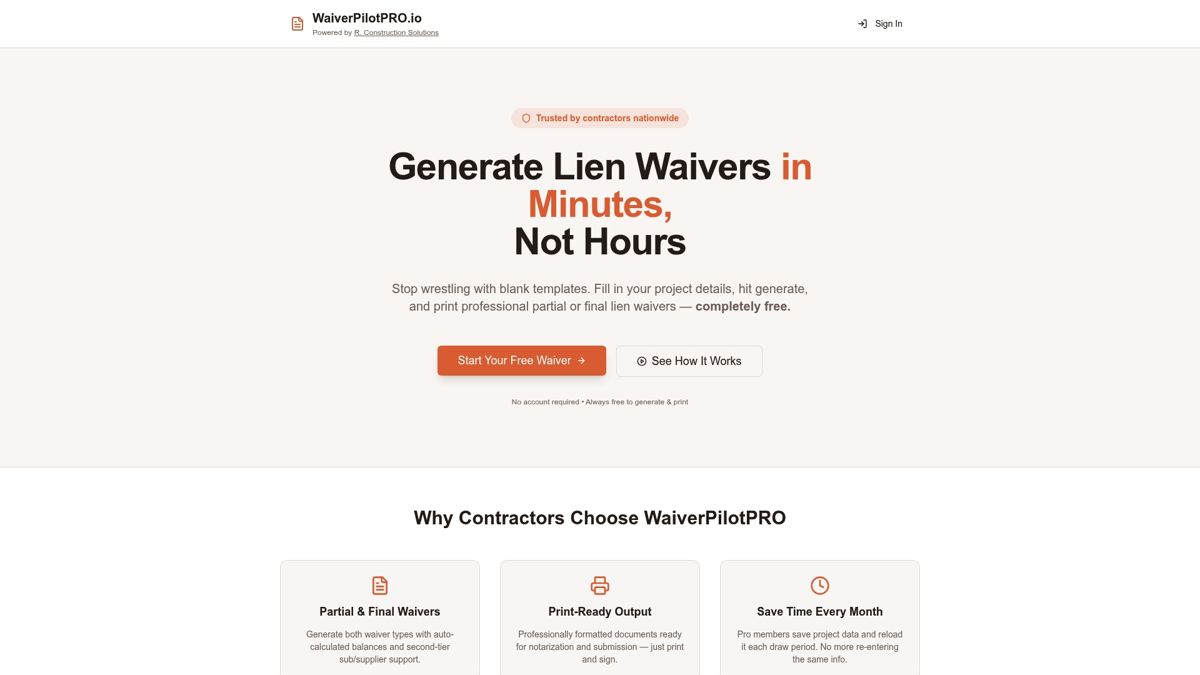
The free lien waiver generator produces professional, fillable PDF and Word waivers for all four waiver types, with auto-calculated payment balances and state-specific language built in. No account required for basic generation. The Pro tier adds project saving, contract upload with AI-powered field auto-fill, and multi-subcontractor batch management — features that pay for themselves on any job with more than two subs.
Core features that matter to contractors:
- All four waiver types (conditional/unconditional, partial/final) in one place.
- State-specific templates covering all 50 states.
- Auto-calculated balances to eliminate math errors.
- Integrations with Procore, QuickBooks, Jobtread, Sage, and Buildertrend to reduce copy-paste and version mistakes.
Start with the free PDF and Word download to get editable forms immediately, or go straight to the generator and have your first waiver ready before the end of the day.
Useful sources to verify legal details and state requirements
Before issuing waivers on any project, confirm the rules for your state. These are the most reliable starting points:
- CFMA (Construction Financial Management Association): Lien waiver essentials and best practices — covers timing, form selection, and preliminary notice requirements.
- AIA Contracts: Lien waivers and releases: a practical guide — explains the G901/G902/G903/G904 form family and payment-risk controls.
- Fieldwire: Construction document control guide — naming conventions, version control, and role-based access best practices.
- Your state legislature’s lien statute: Search “[State name] mechanics lien statute” on your state’s official legislative website for current filing deadlines and form requirements.
- State contractor licensing board: Confirm license display requirements, permit rules, and any state-mandated waiver forms.
- County recorder’s office: For projects requiring recorded liens or releases, check local filing fees and deadlines directly.
- A licensed construction attorney: For disputes, complex subcontractor chains, or projects in states with strict preliminary notice rules, get professional advice before a deadline passes.