
Contractors: Protect $40,000 Draws with a Conditional Progress Waiver
A conditional progress waiver only releases your lien rights once the specific payment it names has actually cleared your bank account. Not when the check arrives, not when your client “confirms” it’s coming. The practical rule is simple: submit conditional waivers with every pay application, and only sign the unconditional version after funds are verified in hand.
TL;DR:
- Submit a conditional progress waiver with each pay application, and only sign the unconditional version after funds are confirmed in your bank account.
- A conditional waiver only takes effect once the specific payment clears, protecting your lien rights if checks bounce or wire transfers fail.
- Always verify that the waiver amount matches your pay application dollar-for-dollar and include precise project and payment details; mismatches are the most common mistake.
- Using state-specific waiver forms is crucial, as generic templates may not comply with local laws and can lead to legal or compliance issues.
- Establish a default policy of issuing conditional waivers first and only issuing unconditional waivers after confirmed clearance to avoid losing lien rights prematurely.
Table of Contents
- What Is a Conditional Progress Waiver?
- When Should You Submit a Conditional Progress Waiver?
- What Should Be in a Conditional Progress Waiver?
- Does Your State Have Its Own Lien Waiver Form?
- What Mistakes Cost Contractors Their Lien Rights?
- How Do You Streamline the Conditional-to-Unconditional Workflow?
- Why Contractors Overcomplicate a Simple Rule
- Ready to Put the Conditional-First Workflow Into Practice?
- Sources
What Is a Conditional Progress Waiver?
A conditional progress waiver is a lien waiver tied to a specific payment on a specific pay period, and it only becomes effective once that exact payment clears your bank. Sign it, hand it over with your draw package, and your lien rights stay fully intact until the money actually lands. If the check bounces or a wire fails, the waiver has no legal effect at all, according to AIA Contract Documents.
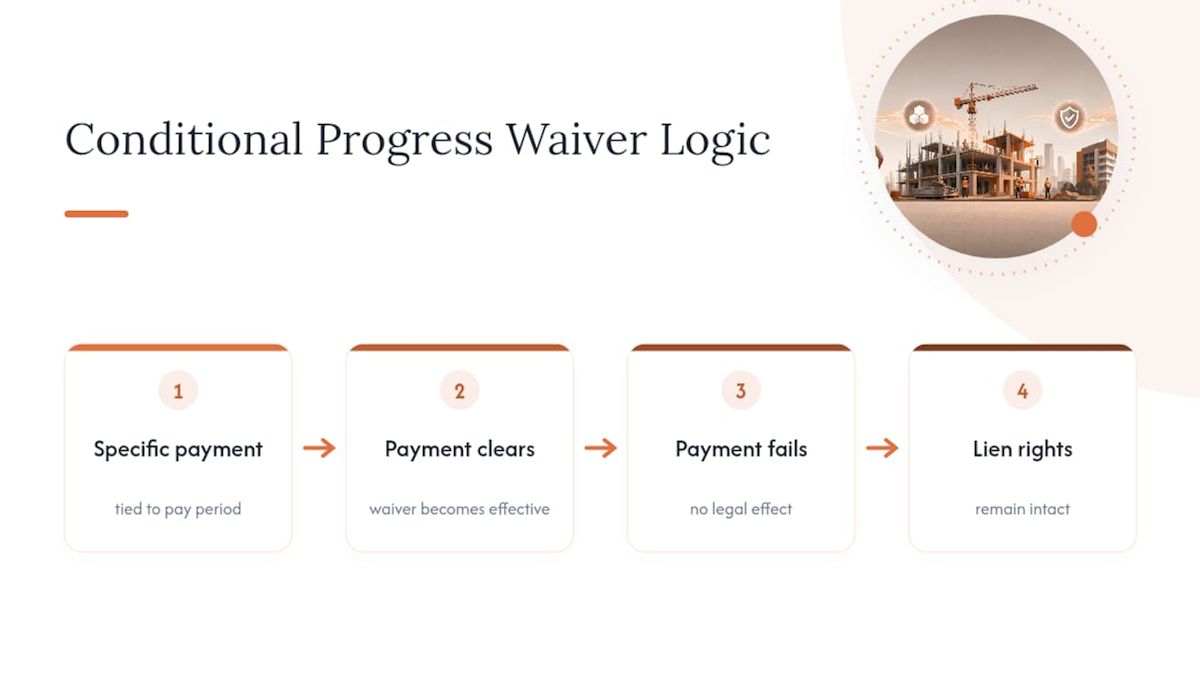
That single feature is what separates a conditional waiver from every other document that looks similar on paper.
Four types, four different moments of risk
Lien waivers come in four standard combinations, and mixing them up is how contractors lose leverage they didn’t mean to give away.
- Conditional progress waiver: Covers a single pay period. Takes effect only once that period’s payment clears. Protects you, the vendor, because your lien rights survive a bounced check.
- Unconditional progress waiver: Covers a single pay period but takes effect the moment you sign it, regardless of whether payment shows up. Protects the payer, because you’ve surrendered your remedy on the spot.
- Conditional final waiver: Waives all remaining lien rights on the project, but only once the final payment clears.
- Unconditional final waiver: Waives all remaining lien rights immediately upon signature, no matter what happens to the payment afterward.
Picture a subcontractor billing $40,000 for March’s work. Sign a conditional progress waiver for that amount, and if the general contractor’s check clears, the waiver kicks in automatically. Sign an unconditional waiver instead, and you’ve given up your lien rights the second you sign, whether or not that $40,000 ever arrives. For interim draws, the progress lien waiver is the form most contractors should default to.
When Should You Submit a Conditional Progress Waiver?
The rhythm of a healthy pay-app cycle follows a fixed sequence, and skipping a step is where most payment disputes start, as outlined in Change Order Management for Construction Project Managers. CFMA frames this as the industry’s standard best practice for a reason: it keeps risk on the side that can actually verify the money moved.
- Attach the conditional waiver to your pay application or draw package before any payment has cleared. This is your ask, backed by a document that costs you nothing if payment falls through.
- Wait for bank confirmation. Don’t treat a mailed check or a promise from the project accountant as confirmation. Wait until funds actually post.
- Issue the matching unconditional waiver once funds are verified, ideally within 48 to 72 hours of confirmation, a window practitioners at BuilderGrid point to as the norm for keeping draw packages and lender expectations aligned.
- If payment reverses or a check bounces, notify the payer in writing immediately and do not issue the unconditional waiver. Your conditional waiver never activated, so your lien rights remain exactly where they were.
Pro Tip: Set a recurring calendar reminder tied to your bank’s posting schedule, not your client’s payment date. Banks post on their timeline, not the payer’s, and that gap is where waivers get signed too early.
What Should Be in a Conditional Progress Waiver?
Before you sign or submit anything, verify the fields that actually make a waiver enforceable and accurate.
- Project name and address, matching the contract exactly.
- Names of both parties, spelled and formatted as they appear on the contract.
- The exact pay period the waiver covers, not a range that overlaps with a previous submission.
- The exact payment amount, matched dollar-for-dollar to your pay application.
- A description of the work performed during that period, specific enough to distinguish it from other draws.
- A conditional effectiveness clause stating plainly that the waiver takes effect only upon clearance of the named payment.
- Retention language, if retention is being withheld, so the waiver doesn’t accidentally release rights to money you haven’t been paid yet.
One mismatch causes more lost lien rights than any other single error: a waiver amount that doesn’t match the invoice or pay app line item. If your pay app says $52,000 but your waiver says $52,500, that gap becomes a legal argument later, usually right when you can least afford one. Some states expect notarized signatures on progress waivers as a matter of course, so check your state’s form requirements before you assume a plain signature is enough. Waiverpilotpro’s step-by-step waiver guide walks through each field in order.
Does Your State Have Its Own Lien Waiver Form?
Lien waiver law is state law, not federal law, and that means the form you used on your last project in one state may be legally insufficient in another. Several states publish or regulate their own official waiver language, and using a generic template where a state form exists can create compliance problems with lenders or general contractors who expect the local version, per CSLB.
- California publishes conditional and unconditional waiver and release forms through the Contractors State License Board, and lenders operating in the state generally expect that exact language.
- AIA’s G901 and G902 series are widely used generic templates across the industry, especially on projects without a mandated state form, according to AIA Contract Documents.
- Confirm your state’s rule by checking your state contractor licensing board’s website before defaulting to a generic template.
| Where to check | What to look for |
|---|---|
| State contractor licensing board | Official waiver form templates, if published |
| AIA Contract Documents | G901/G902 generic templates for progress and final waivers |
| Project contract or GC requirements | Whether a specific form is mandated for this job |
What Mistakes Cost Contractors Their Lien Rights?
The single most damaging habit is signing an unconditional waiver before payment clears. Industry guides consistently flag this as the leading cause of lost lien rights and unpaid invoices, according to Corpay, because once you sign, your legal remedy disappears whether or not the money ever shows up.
- Signing unconditional too early: You’ve traded your leverage for a promise, and promises don’t get you paid.
- Mismatched amounts: A waiver that doesn’t match your pay app dollar-for-dollar creates a dispute that’s hard to resolve after the fact.
- Skipping reconciliation: Bank proof, invoice matching, correct dates, and retention treatment should all line up before any waiver goes out.
- No default policy: Contractors without a standing rule (“we always issue conditional first”) make case-by-case judgment calls under deadline pressure, which is exactly when mistakes happen.
Pro Tip: Make “conditional by default, unconditional only after bank confirmation” a written office policy, not a judgment call left to whoever’s filling out paperwork that week.
How Do You Streamline the Conditional-to-Unconditional Workflow?
The safest workflow is also the simplest one: generate the conditional waiver alongside your pay app, wait for confirmed funds, then issue the matching unconditional waiver and file both. The friction usually isn’t the concept, it’s the manual re-entry of amounts across your pay app, your accounting system, and your waiver form.
Integrations with tools like Procore and QuickBooks close that gap, because pulling draw amounts from the same source data eliminates the mismatches that cause disputes, a pattern BuilderGrid has documented across contractor workflows.
- Generate the conditional waiver with auto-calculated balances tied to your actual pay app figures.
- Confirm cleared funds through your bank or accounting software before touching the unconditional form.
- Issue a notarizable, professional-grade unconditional waiver the same week funds post.
- Keep multi-subcontractor draws organized in one place instead of chasing separate paperwork per sub.
Waiverpilotpro’s free lien waiver generator supports exactly this sequence, with state-aware templates built in.
Why Contractors Overcomplicate a Simple Rule
Most of the confusion around conditional progress waivers isn’t legal complexity. It’s habit. Contractors get asked to sign an unconditional waiver “just to keep things moving,” and because the form looks nearly identical to the conditional version, they sign it without registering what they’ve given up.
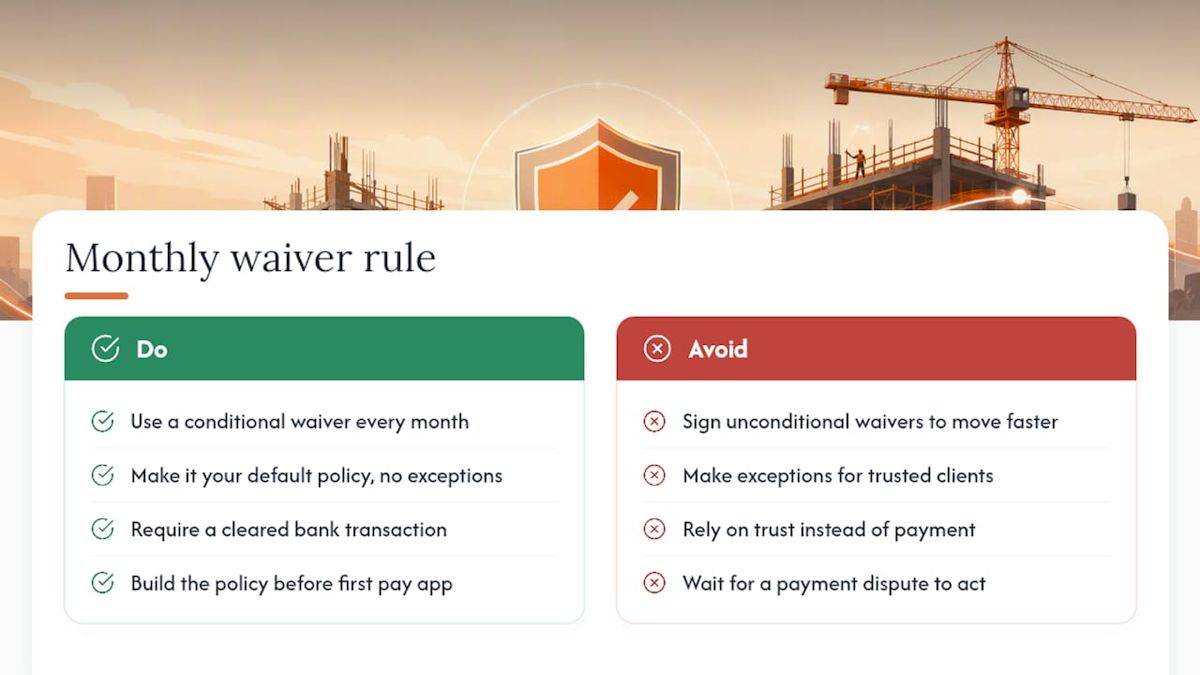
The conventional advice you’ll find in most guides stops at “know the difference between conditional and unconditional.” That’s necessary but insufficient. What actually protects you is a default policy you follow every single month, without exception, regardless of how much a project manager on the other end is pushing for faster paperwork. Waivers aren’t the place to make exceptions for a client you trust. The whole point of a conditional waiver is that it doesn’t require trust. It requires a cleared bank transaction.
If there’s one thing worth prioritizing above everything else in this guide, it’s building that default into your paperwork process before your first pay app goes out this year, not after a payment dispute forces the issue.
— Rowena
Ready to Put the Conditional-First Workflow Into Practice?
Waiverpilotpro gives you a faster path to the exact sequence this guide recommends: generate a conditional waiver with your pay app, confirm funds cleared, then issue a matching unconditional waiver, all without re-typing the same numbers three times across three systems. Unlike waiver templates that leave you filling in blanks by hand, Waiverpilotpro auto-calculates balances against your actual pay app figures and supports multi-subcontractor draws in one pass.
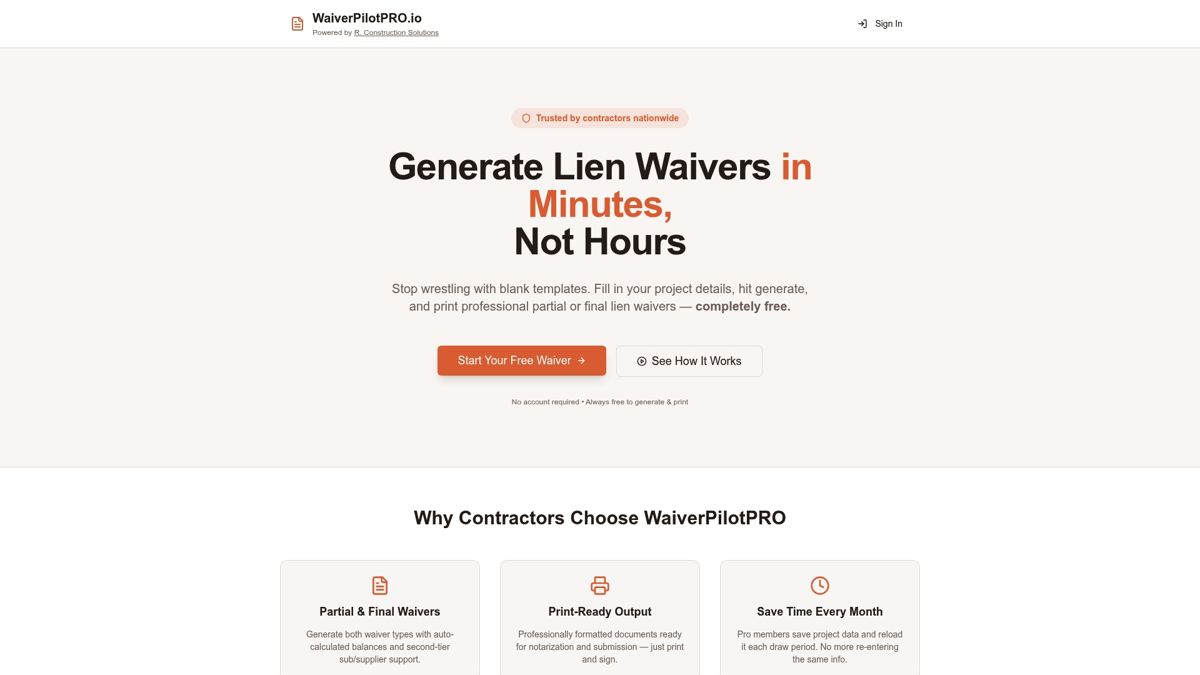
The generator produces notarizable, professional-grade documents for free, with state-aware templates and integrations for platforms like Procore and QuickBooks that pull draw data automatically instead of asking you to re-enter it. If you manage payments through JobTread or Buildertrend, dedicated waiver pages are built for those workflows too. Start your next draw package with the free lien waiver generator and issue your first conditional waiver in minutes.
Sources
- Lien waivers and releases: a practical guide to managing payment risk (AIA Contract Documents)
- Lien waiver essentials: types, timing & best practices for subcontractors (CFMA)
- Conditional and Unconditional Waiver and Release Forms (CSLB)