
Protect Your Lien Rights: 4 California Waiver Forms Contractors Use
California recognizes four statutory lien waiver forms, split between conditional and unconditional versions for progress and final payments, and using anything else can void your waiver entirely. The single rule that matters most: a conditional waiver only takes effect once payment actually clears, while an unconditional waiver surrenders your rights the moment you sign it. Get the wording wrong, and you can lose your right to a mechanic’s lien, a stop payment notice, or a bond claim, so the official CSLB forms are worth knowing by heart.
TL;DR:
- Using the wrong type of lien waiver or signing an unconditional form prematurely can result in losing your lien rights and legal remedies entirely.
- Conditional waivers only become effective once the payment has actually cleared, so verifying bank confirmation is crucial before signing.
- Filling out the statutory forms requires exact payment details, correct dates, and listing all disputed or unpaid amounts to avoid future legal issues.
- Avoid modifying the official forms, leaving out retainage, or signing before funds are verified, as these mistakes often void or weaken your waiver.
- Official CSLB forms are available online, and tools like WaiverPilotPRO can help generate compliant waivers quickly, reducing manual errors.
Table of Contents
- The Four Statutory California Lien Waiver Forms
- Conditional vs. Unconditional: Timing, Proof, and Consequences
- Common Mistakes That Void or Weaken Your Waiver
- How to Fill Out the Statutory Form Correctly
- Where to Get the Official Statutory Forms
- How WaiverPilotPRO Keeps California Waivers Compliant
- A Contractor-Focused Take on Getting This Right
- Generate Compliant California Waivers in Minutes
- Sources
The Four Statutory California Lien Waiver Forms
California’s Civil Code doesn’t leave form design to guesswork. Sections 8132, 8134, 8136, and 8138 lay out exact statutory language for four distinct documents, and each one applies to a specific payment scenario. Think of a lien waiver as a receipt that also surrenders a powerful legal remedy. Sign the wrong one at the wrong time, and you’ve given up a right you may still need.
- Conditional waiver on progress payment (§8132): This form only becomes effective once the specific payment it references clears the bank. It should list the maker of the check, the exact amount, and the payee, so there’s no ambiguity about which payment triggers the release.
- Unconditional waiver on progress payment (§8134): This one surrenders your lien rights for that payment amount the moment you sign, regardless of whether the check has cleared. That’s exactly why it’s risky. If the payment bounces or never arrives, you’ve already given up leverage.
- Conditional waiver on final payment (§8136): Similar logic to the progress version, but it applies to the last payment on a project and carries narrower exceptions. Once you sign this and the payment clears, there’s typically nothing left to negotiate.
- Unconditional waiver on final payment (§8138): This is the point of no return. It releases your lien, stop payment notice, and bond claim rights entirely, and it’s irreversible once executed.
Each form typically preserves certain carve-outs, retentions not yet due, disputed extras, and rights arising directly from your contract, but only if you list them correctly on the form itself.
Conditional vs. Unconditional: Timing, Proof, and Consequences
“Effective on receipt of payment” sounds simple, but it has a precise legal meaning under Civil Code §8134. A conditional waiver isn’t just paperwork you file away once you deposit a check. It only becomes binding once the funds have actually posted, which means a bounced check or a stopped payment keeps your lien rights fully intact.
Here’s how to verify payment before treating a conditional waiver as final:
- Confirm the check has cleared your bank, not just that it was deposited. A pending deposit is not cleared funds.
- For joint payee checks, make sure both endorsements are on file and the bank has processed the item.
- For electronic transfers, wait for the funds to actually post to your account rather than relying on a payment notification email.
- Keep a copy of the bank confirmation or statement showing the cleared transaction alongside your signed waiver.
Retainage and change orders get treated differently depending on which waiver you’re signing, and understanding typical seller expenses can help you prepare for these costs during closing (Seller Closing Costs in California: What They Are and What They Run). Progress waivers typically exclude retention amounts not yet due, while final waivers narrow those exceptions considerably, so any disputed extras need to be spelled out by dollar amount before you sign.
Pro Tip: Treat every unconditional waiver as a receipt, not a formality. Only sign it once the money is sitting in your account and reconciled against your invoice, never based on a promise that a check is “in the mail.”
Common Mistakes That Void or Weaken Your Waiver
The most expensive mistake in California lien waiver practice is signing an unconditional form before the payment has cleared. Once that document is executed, you’ve given up your remedy. Whether or not the check bounces is now beside the point.
Legal explainers covering the statutory forms flag a handful of errors that show up again and again on real projects:
- Using a modified or non-statutory template instead of the exact language required by law. Under Civil Code §8126, any waiver that doesn’t substantially follow the statutory form is void, no matter what a contract clause says.
- Entering the wrong “through date,” which can unintentionally waive rights to work you haven’t been paid for yet.
- Leaving out disputed extras or change order amounts on a final waiver, which can quietly release claims you meant to keep.
- Failing to preserve retainage where the statutory exceptions allow it.
The fix in every case is the same: insist on a conditional waiver until funds clear, require exact check details before signing anything, and get bank confirmation in writing. That habit alone prevents most of the disputes that show up in California construction litigation.
How to Fill Out the Statutory Form Correctly
Getting the form right takes five checks, and skipping any one of them is how waivers get challenged later.
- Match the form to the payment. Confirm whether you’re dealing with a progress or final payment, and whether the payment has cleared yet, before picking conditional or unconditional.
- Verify the payment details. Enter the exact maker of the check, check number, and dollar amount so it matches the payment being released.
- Set the through date precisely. It should match the work period actually being paid, not a later date that sweeps in unpaid work.
- List every exception. Disputed extras, unpaid retention, and contract rights need dollar amounts where the statutory form requires them.
- Sign, date, and keep proof. Have an authorized company representative sign, then retain a copy along with bank confirmation of cleared funds for any conditional waiver.
Pro Tip: Print your waiver checklist and keep it next to your invoicing workflow. A five-minute review before signing catches nearly every mistake covered above.
Where to Get the Official Statutory Forms
Always pull your templates from a primary source, not a generic template site. Third-party or out-of-state forms frequently miss the exact statutory wording California requires, and under §8126 that can make the waiver unenforceable regardless of intent.
- CSLB’s official waiver and release forms page hosts the current statutory templates and consumer guidance.
- The downloadable CSLB PDF gives you print-ready versions of all four forms.
- California Legislative Information publishes the full text of Civil Code §§ 8126 and 8132 through 8138, so you can confirm the exact statutory language yourself.
Keep the official PDFs on file. If a payment dispute ever escalates, having the exact form you used, matched against the statutory text, is a stronger position than relying on memory or a contractor’s word.
How WaiverPilotPRO Keeps California Waivers Compliant
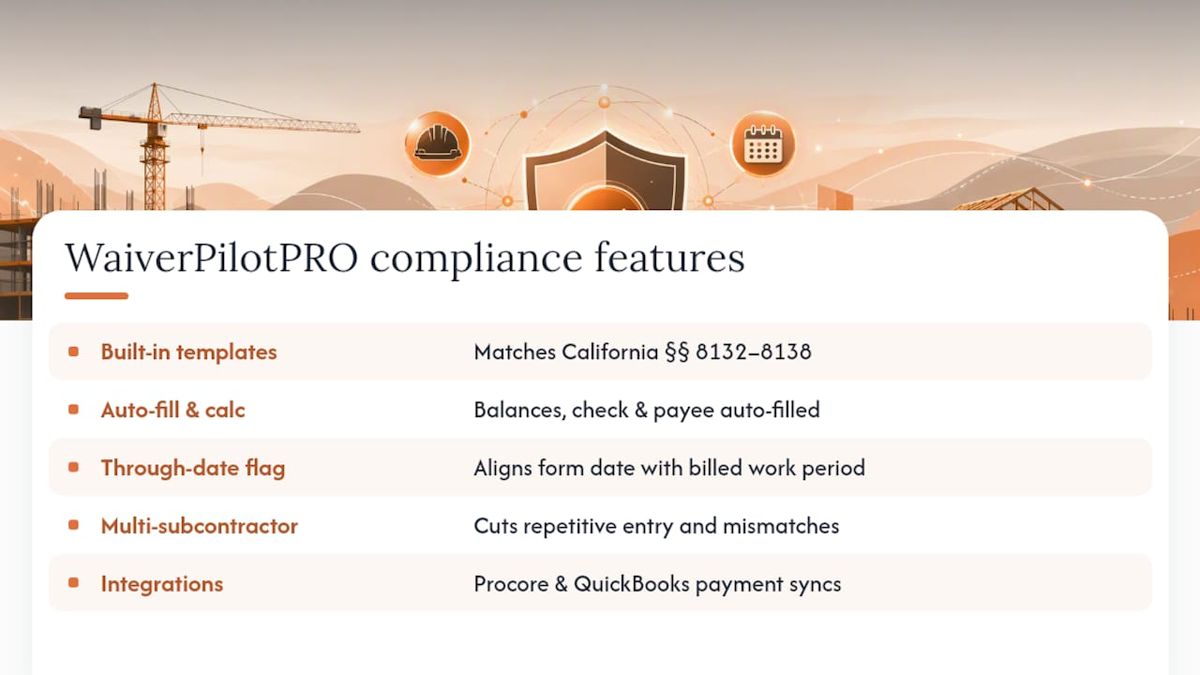
WaiverPilotPRO builds California’s statutory templates directly into its free waiver generator, so you’re never guessing whether a form matches §§ 8132 through 8138. The tool auto-calculates payment balances, pulls in check and payee details, and flags the through date so it lines up with the work period you’re actually billing.
For contractors juggling multiple subcontractors on a single job, the multi-subcontractor support cuts down the repetitive data entry that leads to mismatched amounts. Integrations with Procore and QuickBooks mean payment data flows in rather than getting retyped, which is where a lot of “wrong amount” errors start in the first place. Every waiver generates as a notarizable, professional PDF ready to send.
A Contractor-Focused Take on Getting This Right
If there’s one habit worth adopting, it’s this: default to conditional until the money is confirmed in your account. Don’t treat a delivered check as payment. Document every signed waiver alongside bank confirmation and your list of preserved exceptions, retainage, disputed extras, contract rights, so nothing gets waived by accident. When you’re unsure which form applies, get the conditional release first and reconcile funds before anyone signs anything unconditional. Build that sequence into your standard invoicing workflow, and most of California’s waiver pitfalls simply stop happening.
— Rowena
Generate Compliant California Waivers in Minutes
Manually reformatting statutory language every time you invoice a client is where most compliance mistakes creep in. WaiverPilotPRO gives California contractors a faster path: pick the correct statutory form, auto-fill the payment details, and get a notarizable PDF without touching a template file.
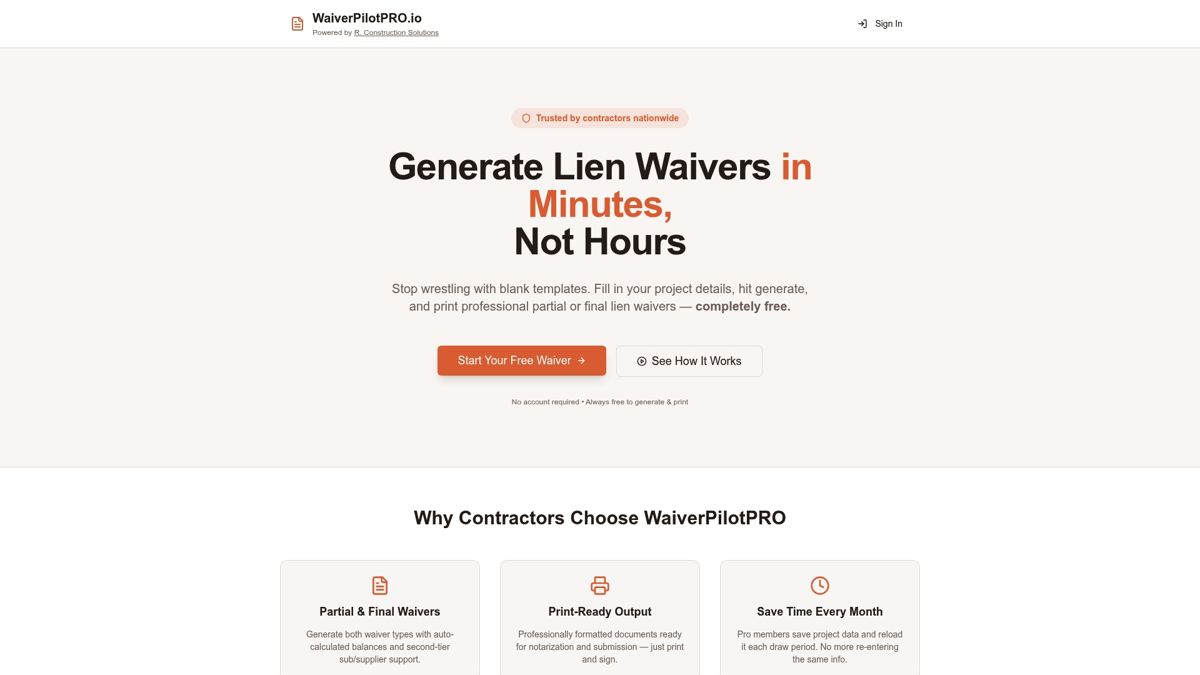
The Free Lien Waiver Generator covers all four California statutory forms at no cost, with auto-calculated balances that catch mismatched amounts before they become a signed document. If your team already runs Procore, QuickBooks, or Buildertrend, waiver data can flow in directly instead of getting retyped project by project. Try the generator on your next progress payment and see how much faster a compliant, notarizable waiver comes together.
This article is general information, not a substitute for advice from a qualified lawyer. Consult a qualified legal professional about your own circumstances before acting on anything here.
Sources
- Conditional and Unconditional Waiver and Release Forms — Contractors State License Board (CSLB)
- California Code, CIV §8134 — Unconditional waiver language and requirements
- California lien waiver requirements: 4 statutory forms — LegalClarity