
Auto-Calculate Lien Waiver Balances for Contractors
Lien waiver balance calculation is the process of determining the exact dollar amount a subcontractor or supplier waives when signing a lien waiver, matched precisely to the net payment received after retainage and change order adjustments. The ability to auto-calculate lien waiver balances is the most reliable way for contractors and project managers to eliminate payment errors, reduce legal exposure, and keep draw cycles moving. Manual tracking of these figures across five, ten, or twenty subcontractors per project creates compounding risk. Platforms like Waiverpilotpro address this directly by automating the calculation and document generation process, removing the guesswork that causes costly mismatches at lender audits and project closeout.
What do you need to auto-calculate lien waiver balances?
Three categories of input drive accurate lien waiver balance calculation: pay application data, prior payment history, and retainage records. Without all three, your calculated waiver amounts will be wrong before you even start.
Required documents and data sources
The industry standard pay application format is the AIA G702/G703. The G702 captures the scheduled value, work completed to date, retainage withheld, and the net amount due for the current period. Your automation system pulls the net payment figure from this form, not the gross contract sum. Waiver amounts must match net payment figures, not gross contract sums, including adjustments for retainage and change orders. Using the gross figure instead of the net is the single most common calculation error in manual workflows.

You also need a running log of prior payments and any approved change orders. Change orders shift the contract value, which shifts the retainage base, which shifts the correct waiver amount. Missing a change order in your calculation produces a waiver that does not match the actual payment, and that mismatch creates a title defect that surfaces at the worst possible time.
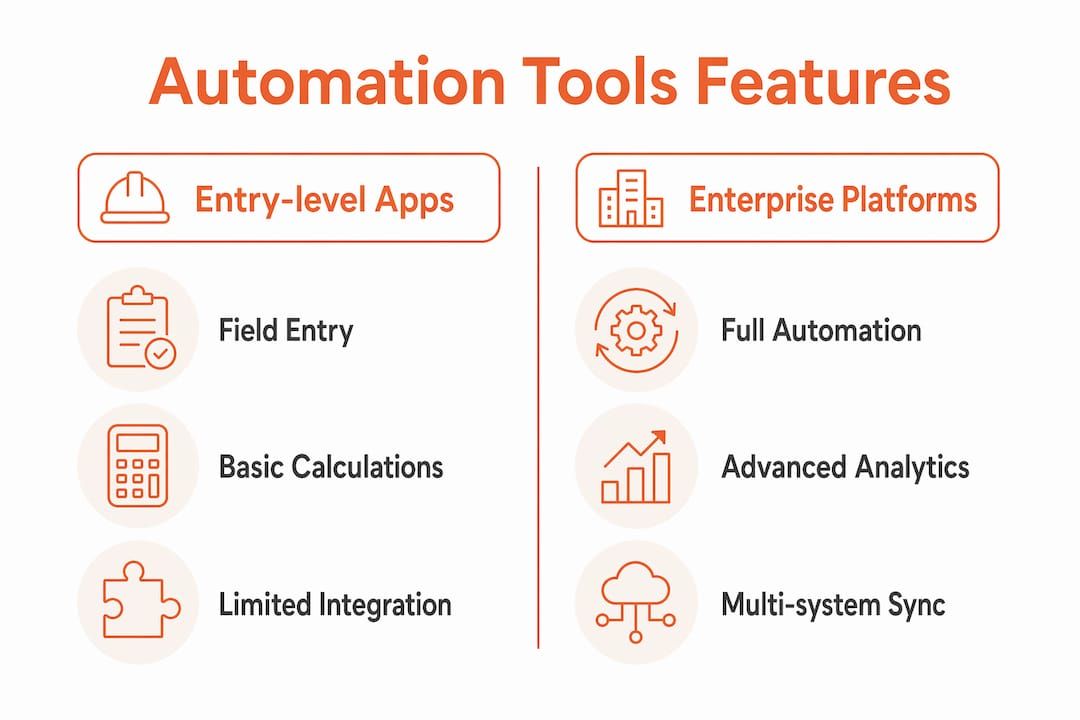
Automation tools by feature category
| Feature category | Entry-level field apps | Mid-tier platforms | Enterprise platforms |
|---|---|---|---|
| Pay app data extraction | Manual entry | Semi-automated | API-driven, AIA G702/G703 native |
| Retainage adjustment | Manual | Rule-based | Automatic per contract terms |
| Waiver amount calculation | Spreadsheet | Formula-driven | Real-time, validated |
| Integration (accounting) | None | QuickBooks sync | Full ERP integration |
| Audit trail | PDF archive | Timestamped logs | Full reconciliation dashboard |
Pro Tip: Always confirm that your automation tool reads the net payment field from the pay application, not the total billed to date. The difference between those two numbers is your retainage, and getting it wrong invalidates the waiver.
How do you set up an auto-calculation workflow for lien waiver balances?
The workflow has five steps. Each step gates the next, so skipping one breaks the chain.
-
Extract net payment figures from the pay application. Pull the current period net payment amount and retainage withheld directly from the AIA G702 or equivalent pay app. This is your source of truth. Do not use invoice totals or contract values as a substitute.
-
Generate conditional and unconditional waiver amounts automatically. Every pay application triggers three documents simultaneously: the pay application itself, a conditional waiver for the current period, and an unconditional waiver for the prior period. Your system should generate the dollar amounts for both waiver types at the same moment the pay app is approved.
-
Validate waiver amounts against net pay app figures. Set your validation tolerance at $0.01. Any amount mismatch beyond that threshold should trigger an automatic flag and hold the payment release. This single rule prevents the most common compliance failures in construction accounts payable.
-
Automate flags and holds on mismatches. When the system flags a mismatch, route it to a designated reviewer rather than releasing payment. Automation systems perform checks on form type, signer authority, amount reconciliation, and project ID before accepting waivers. Your workflow should mirror this multi-check approach.
-
Update waiver status and balances in real-time dashboards. Once a waiver clears validation, mark it as received and update the running balance for that subcontractor. Digital payment records timestamp payee, amount, and clearance date, enabling direct reconciliation of waiver balances to cleared payments. This makes month-end audits a matter of minutes, not days.
Pro Tip: Lock unconditional waiver generation until payment confirmation is received from your bank feed or accounting system. Gating unconditional waiver generation until payment confirmation prevents waivers from being issued on unpaid invoices, which is a costly and legally significant error.
What errors occur most often in automated lien waiver balance tracking?
Automation reduces errors significantly, but it does not eliminate them entirely. The errors that remain are almost always caused by bad input data, not by the calculation logic itself.
Common error types, causes, and fixes
-
Gross vs. net amount confusion. The cause is pulling the total billed figure instead of the net payment after retainage. The fix is mapping your automation to the correct field in the pay application, specifically the “net payment due” line on AIA G702.
-
Missing retainage adjustments. The cause is retainage rate changes mid-project that are not updated in the system. The fix is syncing retainage terms directly from the contract and flagging any rate change for manual confirmation before the next draw cycle.
-
Wrong waiver type applied. A conditional waiver is appropriate before payment clears. An unconditional waiver is appropriate only after payment clears. Applying an unconditional waiver before payment is confirmed surrenders lien rights without protection. Learn the difference between waiver types before configuring your workflow.
-
Retainage release at closeout not tracked. Final unconditional waivers are required for retainage release at substantial completion. Many systems track progress waivers correctly but fail to flag missing final waivers at closeout. Build a separate checklist or automated trigger for this step.
-
Signer authority not verified. A waiver signed by someone without authority to bind the company is unenforceable. Automation should check signer authority against a pre-approved signatory list for each subcontractor.
The time cost of manual error correction is significant. Manual lien waiver tracking consumes 2–4 hours monthly for firms with 5–10 projects. Automation reduces that to 2 minutes per subcontractor per pay period. That difference compounds across a full project portfolio.
Monthly reconciliation practice: Run a waiver balance audit at the end of each draw cycle. Compare the total of all approved waivers against the total of all cleared payments for that period. Any gap identifies either a missing waiver or a calculation error that needs correction before the next draw.
How does automated balance calculation improve payment management?
Automation changes the accounts payable function from a reactive process to a controlled one. The numbers behind this shift are concrete.
“Automation reduces payment runs blocked more than one day by 87% and decreases staff hours per draw cycle by 82%. Waivers with amount errors drop from 22% to 3% under automation-led processes.”
That error rate reduction matters legally, not just operationally. A waiver with a wrong dollar amount may not be enforceable. An unenforceable waiver means the owner or GC has no protection against a mechanics lien for that payment, even after the check has cleared.
Lien waivers should be integrated as a prerequisite to payment approval, not an afterthought, as per AIA Contract Documents. Automation enforces this discipline by making it structurally impossible to release payment without a validated waiver on file.
| Outcome | Manual process | Automated process |
|---|---|---|
| Time per subcontractor per draw | 2–4 hours monthly | 2 minutes per pay period |
| Waiver amount error rate | ~22% | ~3% |
| Payment runs blocked over 1 day | Frequent | Reduced by 87% |
| Audit readiness | Manual reconstruction | Real-time dashboard |
| Retainage closeout tracking | Often missed | Automated trigger |
Automation that integrates project management, accounting, and e-signature systems significantly reduces human error and payment delays. The integration layer is what separates a functional automation setup from a partial one. If your waiver tool does not talk to your accounting system, you are still doing manual reconciliation, just with better-looking documents.
Key Takeaways
Automated lien waiver balance calculation is the most effective method for construction professionals to eliminate payment errors, enforce compliance, and close draw cycles without delays.
| Point | Details |
|---|---|
| Match net, not gross | Always calculate waiver amounts from net payment after retainage and change orders, not gross billing. |
| Gate unconditional waivers | Lock unconditional waiver generation until payment confirmation is received from your accounting system. |
| Validate to $0.01 tolerance | Flag any amount mismatch automatically and hold payment release until a reviewer clears it. |
| Track retainage at closeout | Build a separate trigger for final unconditional waivers at substantial completion to avoid release delays. |
| Integrate all systems | Connect your waiver tool to project management, accounting, and e-signature systems to eliminate manual reconciliation. |
Why I think most contractors are automating the wrong part first
Most contractors I have seen automate the document generation step first. They get a tool that produces a clean PDF waiver, and they call it done. The problem is that a clean PDF with the wrong dollar amount is worse than a messy spreadsheet with the right one. The document is the output. The calculation is the work.
The real discipline is in gating. Lien waivers treated as risk-transfer instruments embedded into payment approval workflows, not mere paperwork, change how the whole process functions. When a waiver is a gate, not a receipt, your accounts payable team stops chasing documents after payment and starts requiring them before payment. That single shift eliminates most of the disputes I have seen drag into arbitration.
The other mistake is treating retainage as a footnote. Retainage complicates every waiver amount calculation, and the final unconditional waiver at closeout is the one that matters most to the owner and lender. I have watched projects sit at substantial completion for weeks because one subcontractor’s final waiver was missing or had a wrong amount. Automate the closeout trigger as seriously as you automate the progress draw cycle.
My recommendation is to use a validated platform like Waiverpilotpro that handles both the calculation and the document in one step, with integration to your pay app format. Do not build a custom spreadsheet solution and call it automation. The maintenance burden alone will cost you more time than you saved.
— Rowena
Waiverpilotpro makes lien waiver balance calculation straightforward
Contractors who need to calculate lien waiver amounts accurately without building complex internal workflows have a direct option in Waiverpilotpro. The platform auto-fills waiver amounts from your project details, supports both conditional and final waivers, and produces notarizable documents ready for submission.
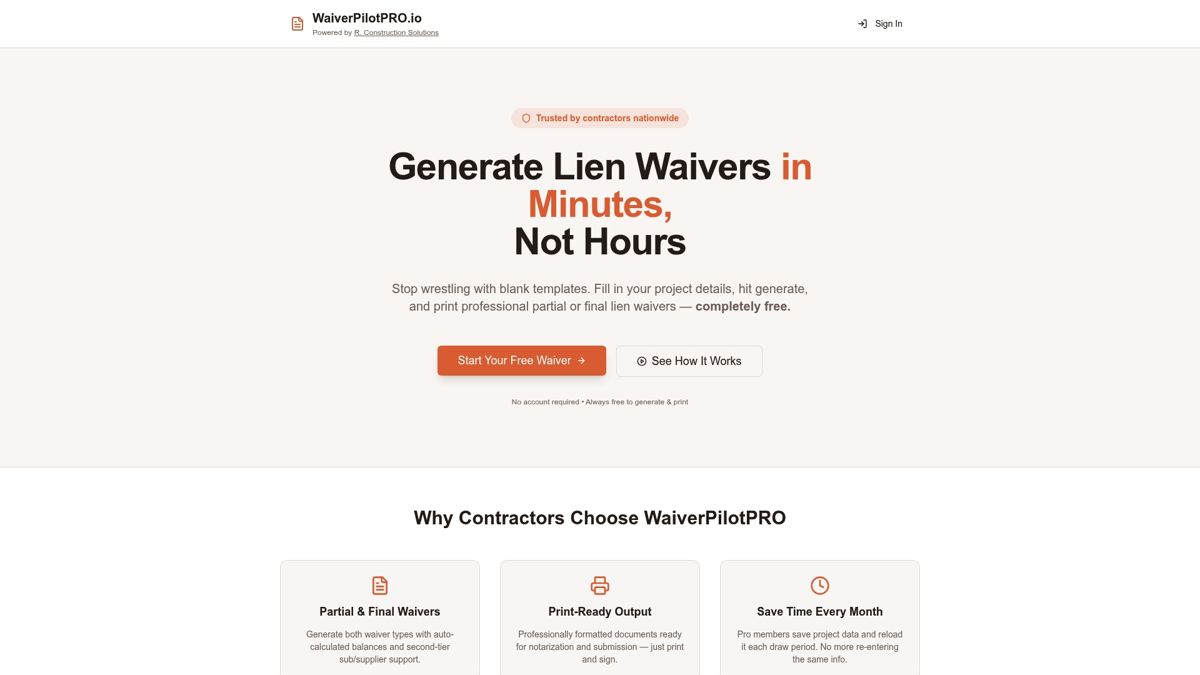
Waiverpilotpro integrates with AIA G702/G703 pay app formats and connects with construction management software including Procore and QuickBooks. That integration means your waiver amounts pull from the same net payment figures your accounting team uses, eliminating the reconciliation gap that causes most errors. Contractors report saving meaningful time every month compared to manual tracking. Try the free lien waiver generator to see how auto-calculated balances work in practice, with no account creation required.
FAQ
What does it mean to auto-calculate lien waiver balances?
Auto-calculating lien waiver balances means the system automatically determines the correct dollar amount for each waiver based on the net payment due from the pay application, including retainage and change order adjustments, without manual data entry.
Why must waiver amounts match net payment, not gross billing?
Waiver amounts must reflect the actual payment received after retainage is withheld. Using the gross billing figure creates a mismatch that can be flagged as a title defect during lender audits or project closeout.
When should an unconditional lien waiver be generated?
An unconditional waiver should only be generated after payment has cleared and been confirmed by your accounting system or bank feed. Generating it before payment confirmation surrenders lien rights without any protection.
How do I handle retainage in lien waiver balance calculations?
Track retainage separately from progress payments throughout the project. At substantial completion, require a final unconditional waiver from every subcontractor tier as a condition of retainage release.
What tolerance should I set for waiver amount validation?
Set your validation tolerance at $0.01. Any amount difference beyond one cent should trigger an automatic hold and route the waiver to a reviewer before payment is released.