
12 States Where Generic AIA Lien Waivers Fail. Use This Workflow
Your choice comes down to two questions: which state governs your project, and has the payment already cleared? If payment hasn’t arrived, you need a conditional form (AIA G901 or G903). If it has, you need an unconditional form (G902 or G904). If your project sits in one of the states AIA regulates closely, skip the generic form entirely and use the state-specific version.
TL;DR:
- Using the correct state-specific AIA lien waiver form is crucial in regulated states, as courts often invalidate generic versions due to strict statutory requirements.
- Sign conditional waivers before payment clears and unconditional waivers only after confirmed bank clearance to avoid unintentionally losing lien rights.
- The Exceptions field must be explicitly filled, either with disputed amounts or “None,” to prevent a waiver from covering unresolved claims.
- Matching the waiver amount precisely with the pay application and verifying funds are cleared before signing are essential to maintain lien rights.
- Automated tools like WaiverPilotPRO help generate compliant, error-free waivers quickly, reducing the risk of paperwork mistakes that can void lien protections.
Table of Contents
- What Is an AIA Lien Waiver, and Which Type Applies?
- Do You Need a State-Specific AIA Waiver Form?
- How to Choose the Right AIA Waiver Form
- Filling Out the Fields That Actually Protect Your Claim
- Common Mistakes That Void Lien Waivers
- How WaiverPilotPRO Fits Into Your Waiver Workflow
- Where to Verify the Details Yourself
- The Real Risk Isn’t the Form. It’s How It Gets Filled Out.
- Generate AIA-Compliant Waivers Without the Manual Cleanup
- Sources
What Is an AIA Lien Waiver, and Which Type Applies?
An AIA lien waiver is a signed document where a contractor, subcontractor, or supplier gives up the right to file a mechanics lien against a property, usually in exchange for payment. It functions like a receipt that also surrenders a powerful legal remedy. AIA Contract Documents publishes generic versions of this form, each answering a different question about timing and payment status.
G901 (Conditional Waiver and Release on Progress Payment) applies when you’re being paid for work completed so far, but the money hasn’t landed yet. This waiver only takes legal effect once payment is actually received, which makes it the safer default for anyone signing before funds clear.
G902 (Unconditional Waiver and Release on Progress Payment) is the version you sign after the progress payment has already hit your account. Because it’s effective immediately on execution, signing it prematurely means giving up lien rights for money you haven’t actually collected.
G903 (Conditional Waiver and Release on Final Payment) covers project closeout. You use it when the final payment has been calculated and issued, but you’re waiting on the funds to settle.
G904 (Unconditional Waiver and Release on Final Payment) is the last document in the chain, signed only after the final payment has cleared and confirmed.
A few practical notes worth flagging:
- Progress waivers (G901, G902) apply to partial or interim payments, not project completion.
- Retainage held back from a progress payment shouldn’t be waived until it’s actually paid out, typically alongside the final waiver.
- Each form has related documents like the G702/G703 pay application, which should match the waiver’s dollar amounts exactly.
Do You Need a State-Specific AIA Waiver Form?
If your project is located in Arizona, California, Florida, Georgia, Massachusetts, Michigan, Mississippi, Missouri, Nevada, Texas, Utah, or Wyoming, the answer is almost certainly yes. AIA released locked, state-specific versions of its lien waiver forms specifically because statutes in these jurisdictions dictate exact content, and sometimes exact formatting.
Georgia is the clearest example. Its statute doesn’t just require specific language, it specifies font size. Deviate from that formatting and a court can treat the waiver as if it never existed, leaving you exposed to a lien claim you thought was closed out.
That’s the real danger of using a generic G901 through G904 in a regulated state: courts routinely invalidate nonconforming waivers, even when the deviation looks minor to a non-lawyer.
Before selecting a form, run through this quick verification:
- Confirm the project’s governing law (usually the state where the property sits, not where your company is headquartered).
- Check whether that state appears on AIA’s regulated list.
- If it does, pull the AIA state-specific variant (like G901AZ, G902CA, or G904TX) rather than editing the generic form yourself.
- When in doubt, or when a project crosses jurisdictions, verify against the actual state statute or a licensed attorney.
How to Choose the Right AIA Waiver Form
Selecting the correct AIA waiver form follows a predictable sequence. Work through it in order every time, and you’ll rarely get it wrong.
- Confirm the project’s jurisdiction. The state where the property is located governs which form is legally valid, regardless of where your company is based.
- Check whether payment has cleared. If you haven’t received or confirmed the funds, you need a conditional waiver (G901 or G903). If the money is already in your account, move to an unconditional waiver (G902 or G904).
- Determine progress versus final. Is this an interim payment tied to a pay application, or is it the last payment closing out the contract? That answer picks between the “progress” and “final” versions.
- List any exceptions explicitly. If there’s a disputed change order or unpaid retainage you’re not waiving, name it in the Exceptions field. Don’t leave it blank and assume it’s understood.
If a project involves multi-party disputes, ambiguous change orders, or you’re unsure whether your state regulates the form, stop and call an attorney before signing anything unconditional.
Pro Tip: Keep a simple internal rule: nobody signs an unconditional waiver until accounting confirms the funds have actually settled, not just that a check was mailed or a deposit was initiated.
Filling Out the Fields That Actually Protect Your Claim
The form’s boilerplate language matters less than what you write into the blanks. Three fields cause most of the real-world disputes.
The Exceptions field is where contractors lose leverage without realizing it. AIA’s own instructions for G904 require you to either list the total dollar amount of disputed claims or enter “None” explicitly. Leaving it blank invites a court to interpret the waiver as covering everything, including a change order you fully intended to keep pursuing.
Amounts and pay application references need to match your G702/G703 documentation exactly. A mismatch between the waiver amount and the pay app total is a common trigger for payment disputes down the line.
Cleared-funds evidence should exist before you sign anything unconditional. That means a bank confirmation, not a mailed check or a promise.
A quick recordkeeping checklist:
- Save the pay application tied to each waiver.
- Log the date funds cleared, not the date the check was issued.
- Keep signed copies (notarized when required by the project or state) organized by payment cycle.
| Field | What to check before signing |
|---|---|
| Exceptions | List disputed amounts by change order number, or write “None” |
| Payment amount | Matches G702/G703 pay application exactly |
| Payment status | Bank-confirmed clearance, not check issuance date |
| Notarization | Required in some states; a prudent default elsewhere |
Common Mistakes That Void Lien Waivers
Most invalidated waivers trace back to one of a handful of avoidable errors.
- Signing unconditional before funds clear. Once signed, it typically extinguishes lien rights even if the payment later bounces.
- Using a generic form in a regulated state. A nonconforming waiver in Texas, California, or Georgia can be treated as invalid, leaving you with no protection at all.
- Leaving Exceptions ambiguous. Vague or blank entries get interpreted against the party who signed.
- Skipping waivers from subs and suppliers. Every party with lien rights on the project, including equipment renters, needs to be in your collection process.
- Letting waiver collection stay decentralized. When project managers each handle their own paperwork, forms go missing and mistakes multiply.
How WaiverPilotPRO Fits Into Your Waiver Workflow
Generating a correct AIA waiver by hand, for every subcontractor, on every payment cycle, is where most errors creep in. WaiverPilotPRO builds the AIA form categories, both generic and state-specific templates, directly into a guided workflow instead of a blank template you fill from memory.
- Generates conditional and final waivers in G901 through G904 formats, plus locked state-specific variants for regulated jurisdictions.
- Produces notarizable, professional-grade output ready for submission without recreating the document in a word processor.
- Integrates with Procore, QuickBooks, and JobTread so pay application numbers auto-populate instead of getting retyped and mismatched.
- Auto-calculates balances and supports multiple subcontractors on one project, which keeps Exceptions fields and amounts consistent across a large payment cycle.
Pro Tip: When you’re managing waivers from a dozen subs on the same draw, manual entry is where amounts and pay app numbers start drifting apart. Auto-fill from your accounting platform closes that gap before it becomes a dispute.
Where to Verify the Details Yourself
Form language changes, and state statutes get amended. Before you rely on any summary, including this one, check the source documents directly.
- AIA’s own instructions for sworn construction statements and lien waiver forms.
- NASBP’s coverage of the state-specific form rollout and why it happened.
- AIA’s practical guide to using waivers as part of payment risk management.
The Real Risk Isn’t the Form. It’s How It Gets Filled Out.
Most guidance on lien waivers treats the form choice as the hard part. It isn’t. Picking between G901 and G902 is a five-second decision once you know whether payment cleared. The actual risk lives in the blanks: a mistyped pay application number, an Exceptions field left empty out of habit, an unconditional waiver signed because a check was “in the mail.”
Conventional advice tends to stop at “know your form types” and leaves contractors to handle execution manually, spreadsheet by spreadsheet, sub by sub. That’s exactly where consistency breaks down on a project with 15 subcontractors and three draws a month. The state-specific rules make this worse, not better, because a single templating error in a regulated state doesn’t just create a paperwork headache. It can void the waiver outright.
If you take one thing from this guide, prioritize the Exceptions field and payment verification over memorizing every state’s statute. Get those two right, use the correct AIA category for your jurisdiction, and you’ve eliminated the majority of the ways waivers actually fail in practice.
— Rowena
Generate AIA-Compliant Waivers Without the Manual Cleanup
WaiverPilotPRO gives you a faster path to the exact form this article just walked through, without retyping pay app numbers or guessing which state variant applies. Instead of building a G901 or G904 from scratch and cross-checking it against statutory formatting rules, you fill in project details once and get a professional-grade, notarizable document generated in the correct format for your jurisdiction.
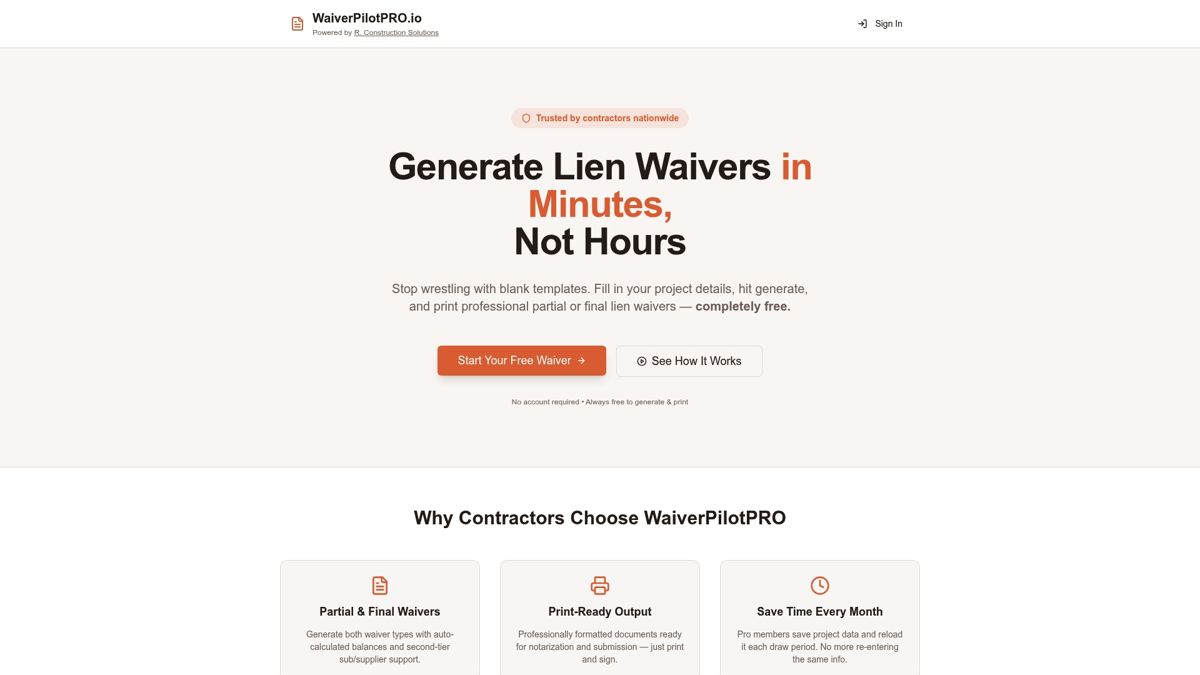
The platform’s free tier covers unlimited conditional and final waiver generation, which suits contractors who need clean, submission-ready documents without an added software cost. If you’re already tracking pay applications in Procore, QuickBooks, or JobTread, the Pro tier’s integrations pull those numbers directly into the waiver, which is exactly where the amount-mismatch errors this guide covered tend to start. Multi-subcontractor support and auto-calculated balances keep Exceptions and payment amounts consistent across an entire draw, even when a dozen subs are involved.
Try the free lien waiver generator on your next progress payment and see how much faster the correct form comes together.
Sources
- Important considerations for Sworn Construction Statements and Lien Waiver and Release Forms — AIA help
- Types of lien waivers in construction — AIA Contract Documents
- The AIA releases sworn construction statements, lien waiver and release forms for the first time — NASBP
- Instructions G904–2022 — AIA help