
What “AIA Documents G702” Really Means for Your Lien Waivers
In this guide, “AIA documents G702” is shorthand for lien-waiver practice, not the payment application form itself. The forms that matter here are conditional and unconditional waivers, split further into progress and final versions. The immediate move: request a conditional waiver tied to payment on every draw, and hold off on unconditional waivers until funds actually clear.
A few things to keep straight before you sign anything:
- Several states require statutory waiver language or specific fields, and using a generic form may be legally void in those jurisdictions.
- A few states require notarization on lien waivers, while others require specific execution language such as “under hand and seal.”
- WaiverPilotPRO generates and stores both waiver types, so you’re not rebuilding templates every draw.
TL;DR:
- Use conditional waivers with each payment, and only sign unconditional waivers after confirming that the funds have fully cleared the bank.
- Twelve states require statutory form language or notarization, so verify local requirements before using generic waiver templates.
- Collect waivers from every subcontractor and supplier at each tier to prevent unknown liens after project completion.
- Standardize waiver forms and storage procedures across projects by attaching state-specific language and maintaining a centralized digital repository.
- Employ a waiver generator like WaiverPilotPRO to create compliant, notarizable waivers that integrate seamlessly with your project and accounting systems.
Table of Contents
- What Are the Four Types of Lien Waivers?
- Which States Require Special Waiver Forms or Notarization?
- How Should You Handle Waivers on Every Pay Application?
- How Do You Standardize and Store Waivers Across Projects?
- How Do You Create a Waiver That Will Actually Hold Up?
- What Does a Filled-In Conditional Progress Waiver Look Like?
- How One Contractor’s Waiver Process Changed After Standardizing
- How WaiverPilotPRO Speeds Up Safe Waiver Handling
- Key Takeaways
- Where to Verify State Rules and Start Generating Waivers
- Sources
What Are the Four Types of Lien Waivers?
Lien waivers split along two axes: conditional versus unconditional, and progress (partial) versus final. Combine them and you get four documents, each tied to a different moment in the payment cycle. A lien waiver functions as a receipt that certifies payment and releases lien rights for the period it covers, so picking the wrong one either exposes you to nonpayment or gives away rights too early.
| Waiver Type | When It Applies | Risk if Used Wrong |
|---|---|---|
| Conditional progress | Submitted with a pay app, before payment | Low risk. Only takes effect once payment clears. |
| Unconditional progress | After a progress payment is verified in your account | Releases rights immediately. Confirm funds first. |
| Conditional final | Submitted with the final pay app | Same protection as progress, applied to project closeout. |
| Unconditional final | After final payment clears | No further lien rights on the project. Sign last. |
The rule of thumb is simple: conditional waivers go out with the invoice, unconditional waivers go out after the money lands. Industry guidance consistently recommends the conditional-then-unconditional sequence because it keeps your lien rights intact until the check actually clears the bank, not just the mail.
Pro Tip: Disciplined general contractors run a standing sequence: conditional waiver with every pay app, unconditional waiver only after the prior period’s funds are confirmed. Break that order and you’re trusting a promise instead of a bank statement.
Cash and verified card payments are the exception. If money changes hands on the spot and clears instantly, an unconditional partial waiver is appropriate right then, since there’s no float period to protect against.
Which States Require Special Waiver Forms or Notarization?
State law is where a lot of contractors get burned, often without realizing it until closeout. A dozen states require statutory waiver language or specific fields, and using a non-statutory form in those states can render the waiver unenforceable even if both parties signed it in good faith.
Notarization adds another layer. Wyoming and Mississippi require notarized lien waivers by statute. Georgia takes a different approach, requiring waivers to be executed “under hand and seal,” which in practice often means notarizing anyway if you don’t have a physical corporate seal handy.
Before you send or accept a waiver on any project, run this checklist:
- Confirm which state’s law governs the project, not just where your company is based.
- Check whether that state mandates a statutory form or specific required fields.
- Verify notarization requirements, especially in Wyoming, Mississippi, and Georgia.
- When state forms conflict with your standard template, consult counsel rather than guessing.
Waiverpilotpro’s California, Massachusetts, and Nevada waiver pages each reflect the statutory language those states require, which saves you the step of cross-checking a generic template against local code.
How Should You Handle Waivers on Every Pay Application?
Treat waiver collection as part of your pay app workflow, not a separate paperwork chore that happens after the fact. The most reliable structure moves three documents together with every draw: the pay application itself, a conditional waiver for the current period, and an unconditional waiver for the prior period once that payment is confirmed. This three-document approach keeps waivers and payments reconciled instead of drifting out of sync, which is exactly how gaps in your lien protection happen.
Here’s the sequence that works on most projects:
- Draft the subcontract with waiver requirements written into the payment terms, not left to informal request.
- Attach a conditional waiver to every pay application for the amount currently being billed.
- Issue an unconditional waiver for the prior period once that payment has cleared.
- Collect matching waivers from every subcontractor, sub-subcontractor, and material supplier on the job.
- Log each waiver against the pay period it covers, with amount, signer, and notarization status recorded.
Skipping step four is the most common mistake project managers make. Failing to collect waivers from every tier is the single biggest reason general contractors get hit with unexpected lien claims months after they thought a project was closed out.
Pro Tip: Your prime contract waiver is only as strong as the weakest link below it. A supplier three tiers down who never signed anything can still file a lien on your project.
How Do You Standardize and Store Waivers Across Projects?
Consistency is what turns waiver management from a recurring headache into a background process. Start by locking a base waiver template into your contract exhibits, then attach state-specific language as a separate exhibit rather than rewriting the core form for every job. That keeps your standard document stable while satisfying local statutory requirements state by state.
Storage matters just as much as the form itself. A centralized digital repository with searchable metadata (project, pay period, amount, signer, notarization status) turns a closeout audit from a week of digging through email into a five-minute search.
| Storage Approach | Retrieval Speed | Audit Readiness |
|---|---|---|
| Paper files in project folders | Slow, manual | Weak, easy to lose a document |
| Scattered PDFs by email thread | Moderate, search-dependent | Moderate, gaps common |
| Centralized cloud system with metadata | Fast, filterable | Strong, versioned and traceable |
For most contractors running multiple active jobs, syncing waiver status with your accounting and project-management tools closes the loop automatically. When a payment posts in QuickBooks or a milestone clears in Procore, the matching waiver status should update without someone manually cross-referencing spreadsheets.
How Do You Create a Waiver That Will Actually Hold Up?
A waiver that stands up to scrutiny needs specific fields filled correctly, not just a signature at the bottom. Every waiver should include: project identification, payer and payee names, the dollar amount covered, the pay period or invoice date, a reference to the specific pay application, the scope of work covered, and any retainage exceptions carved out.
The generation sequence looks like this:
- Prepare the conditional waiver alongside the pay application, using the current draw amount.
- Submit both together to the payer for processing.
- Confirm the funds have actually cleared, not just been approved.
- Convert to (or request) the unconditional waiver once payment is verified.
- Notarize if the project’s governing state requires it.
For notarization itself, three things trip people up most often: the signer isn’t physically present, the ID presented doesn’t match the name on the waiver, or the notary block uses the wrong language for that state’s requirements. Digital notarization is accepted in a growing number of states, but confirm that before relying on it for a specific project.
Pro Tip: Never notarize a waiver before the signer is in front of you (physically or via approved remote video). A pre-signed, pre-notarized waiver is a red flag in any lien dispute.
What Does a Filled-In Conditional Progress Waiver Look Like?
A conditional progress waiver has a small, specific set of fields, and getting each one right protects both your payment and your downstream lien rights. Here’s what belongs in each field:
- Amount billed: the total requested on this pay application, matching your invoice exactly.
- Amount received: left blank or marked pending until payment actually posts.
- Period covered: the specific date range this draw represents, not the whole project.
- Pay app reference: the invoice or application number this waiver ties to.
- Signature and date: signed by someone with authority to release lien rights, dated the day of signing.
Each field earns its place. The amount and period fields prevent disputes over what’s actually been paid versus what’s still outstanding. The pay app reference creates a paper trail an auditor or attorney can follow months later. The signature confirms someone with authority actually agreed to the release, not an assistant filling in a template.
Before submitting, run through a fast checklist: confirm the billed amount matches your pay application, attach supporting backup documentation, and track the waiver’s status until the corresponding payment clears.
| Field | What to Confirm |
|---|---|
| Amount billed | Matches the current pay application exactly |
| Period covered | Reflects this draw only, not cumulative totals |
| Pay app reference | Links directly to the invoice number |
| Signature authority | Signed by someone authorized to release lien rights |
How One Contractor’s Waiver Process Changed After Standardizing
Standardizing the conditional-then-unconditional sequence and running everything through a waiver generator cuts the back-and-forth that used to eat hours every billing cycle. Once you’re also collecting sub-tier waivers as a matter of routine, closeout stops being the moment you discover a supplier lien you never saw coming. The biggest shift isn’t the paperwork itself. It’s having an auditable cloud record that answers the “who signed what, and when” question in seconds instead of days.
How WaiverPilotPRO Speeds Up Safe Waiver Handling
WaiverPilotPRO is built for exactly the workflow this guide describes: conditional first, unconditional after payment clears, with every waiver stored where you can find it during an audit six months later. Unlike static templates you edit by hand, the platform auto-calculates balances across pay periods, supports multiple subcontractors on one project, and outputs notarizable PDFs ready for signature without you rebuilding the form from scratch each draw.
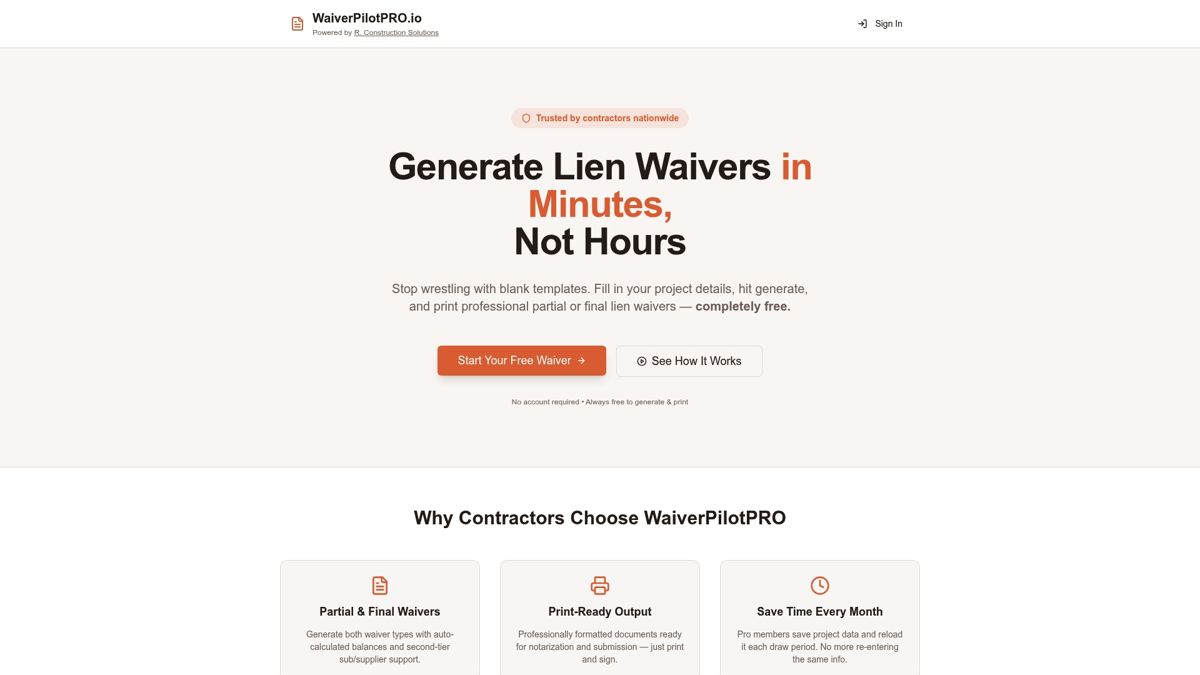
The state-specific templates handle the statutory-language problem directly, so you’re not guessing whether your Nevada or Illinois waiver meets local code. And because WaiverPilotPRO integrates with Procore, QuickBooks, JobTread, and Buildertrend, your pay applications, payments, and waiver statuses reconcile without manual cross-referencing between systems.
If you’re managing waivers across several active jobs right now, start with the free lien waiver generator and generate your next conditional waiver in the time it would take to find last month’s template.
Key Takeaways
Lien-waiver risk drops sharply when contractors request conditional waivers with every pay application and reserve unconditional waivers for payments already confirmed in the bank.
| Point | Details |
|---|---|
| Match the waiver to payment status | Conditional before funds clear, unconditional only after confirmed payment. |
| Check state law first | Twelve states require statutory forms; a generic template can be unenforceable there. |
| Watch notarization rules | Wyoming and Mississippi require notarization; Georgia requires “under hand and seal” language. |
| Collect from every tier | Missing sub-tier waivers is the top cause of surprise liens after closeout. |
| Standardize with WaiverPilotPRO | Generates state-specific, notarizable waivers and syncs with Procore, QuickBooks, JobTread, and Buildertrend. |
Where to Verify State Rules and Start Generating Waivers
Confirm statutory requirements directly before relying on a template, and use these starting points:
- How GCs Protect (CMAA) for waiver sequencing and state notarization notes.
- AIA Contracts Learn’s guide to lien waivers and payment risk for how conditional and unconditional forms tie to pay applications.
- Terrapin Construction Group’s lien waiver types guide for statutory-state warnings.
- WaiverPilotPRO’s free construction forms for downloadable, state-specific templates.
- WaiverPilotPRO’s G702 & G703 payment application guide for how pay application documentation ties into your waiver paperwork.
Sources
- How GCs Protect (CMAA)
- Lien waivers and releases: a practical guide to managing payment risk (AIA Contracts Learn)
- Construction lien waiver types guide (Terrapin Construction Group)
- Lien waiver construction guide (Bidi Contracting)
- What is a lien waiver? (Investopedia)